
AI-Powered Predictive Typing & Text Correction on Desktop in 2026
Discover how AI-powered predictive typing and text correction tools are transforming desktop communication for Windows users in 2026, offering advanced features like real-time grammar checks, personalized suggestions, and seamless integration.
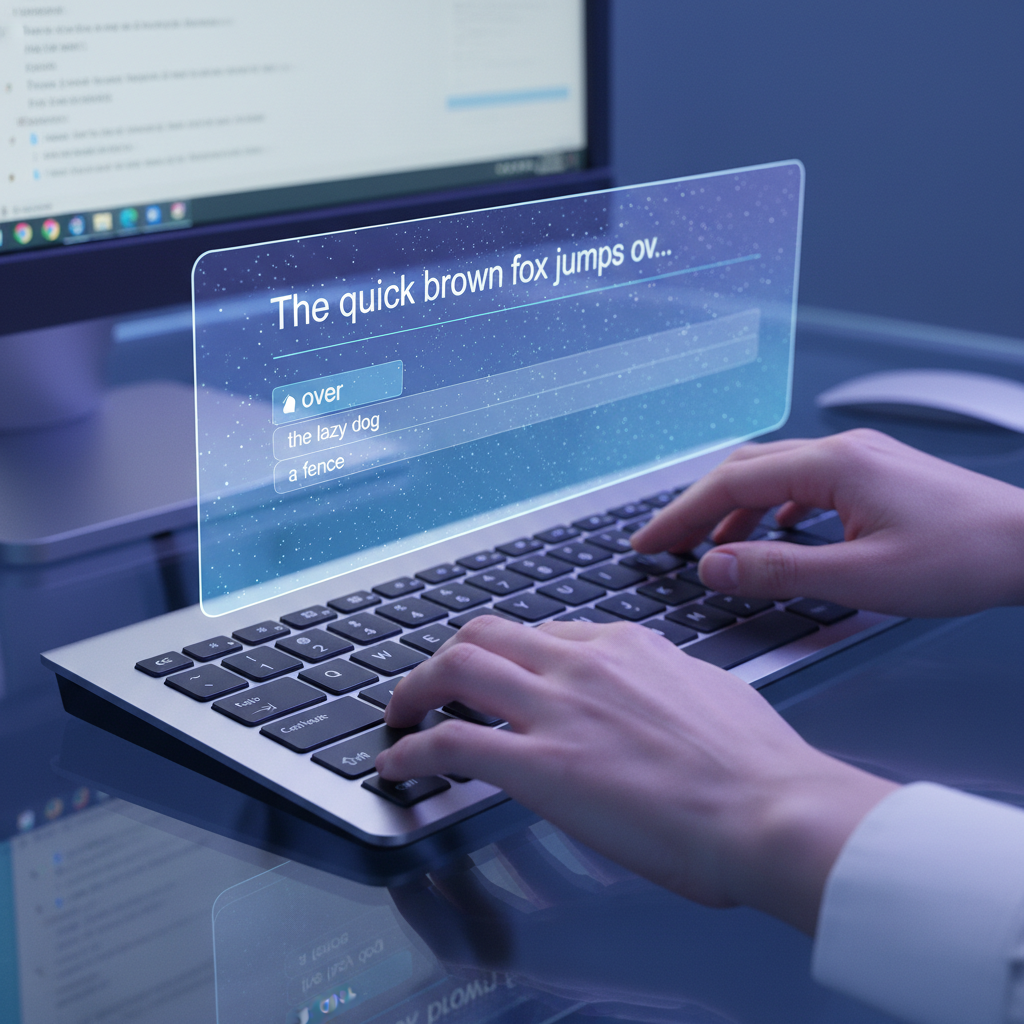
The landscape of digital communication is constantly evolving, and at its forefront are advancements in AI-powered writing tools. For Windows users, the year 2026 brings sophisticated solutions that go far beyond basic spell-check, transforming how we interact with our keyboards and screens. These intelligent assistants are designed to streamline workflows, enhance accuracy, and even spark creativity, making every typing task more efficient and less prone to errors.
Key Takeaways
- AI-powered writing tools for Windows in 2026 offer system-wide autocorrect, advanced predictive text, and real-time grammar correction.
- These tools leverage sophisticated machine learning models, including neural networks, to understand context and user-specific writing styles.
- Features like AI writing generation and voice typing are becoming standard, integrating seamlessly into all desktop applications.
- Privacy is a key consideration, with many core typing features processed locally on the device.
- Tools like AutoCorrect PC are designed to boost productivity for a wide range of users, from professionals to students.
The Evolution of Desktop Writing Assistants
Gone are the days when desktop writing assistance was limited to a simple red underline for misspelled words. Today's AI-powered tools represent a significant leap forward, integrating deep learning and natural language processing (NLP) to provide a comprehensive suite of features. This evolution is driven by the demand for faster, more accurate, and more intuitive ways to produce written content across various applications. Users expect their writing tools to understand context, anticipate needs, and adapt to their unique style.
Early forms of autocorrect and predictive text were often rule-based or relied on simple statistical models. While helpful, they frequently made amusing or frustrating errors. Modern systems, however, are built on vast datasets and complex algorithms that allow them to learn from patterns in language, making them far more intelligent and adaptive. This shift from rudimentary assistance to sophisticated AI has fundamentally changed how we approach typing on our Windows PCs.
How AI Understands Your Intent: Predictive Text and Word Completion
At the heart of AI-powered typing is the ability to predict what you're going to write next. This isn't just about finishing a word you've started; it extends to suggesting entire phrases or even sentences. When you type, the AI analyzes patterns in your language, sentence structures, and frequently used words. Over time, it learns from your typing habits, personalizing suggestions to match your unique vocabulary and style. This deep understanding is what makes tools like AutoCorrect PC so effective.

The technology behind this involves sophisticated machine learning models, often neural networks, trained on billions of words and sentences. These models recognize how language flows naturally, allowing them to rank the most likely next words. For instance, if you type "I need to go to the," the system might suggest "store," "bank," or "office" based on common phrases and your past usage. This drastically reduces keystrokes and speeds up the writing process, especially for repetitive tasks or long documents.
Word Completion and Contextual Suggestions
Word completion is a foundational element of predictive typing. As you type the first few letters of a word, the AI instantly offers the full word. This is particularly useful for longer or less common words, preventing typos and saving time. Beyond simple completion, AI-powered tools excel at contextual suggestions. They don't just complete the current word; they look at the entire sentence and even previous sentences to offer highly relevant next-word or phrase predictions.
This contextual awareness is crucial. For example, if you're writing an email about a project deadline, the AI will prioritize project-related vocabulary. This goes beyond simple dictionary lookups, demonstrating a true understanding of the subject matter based on the text you've already produced. The goal is to keep you in your flow, minimizing interruptions while maximizing typing speed and accuracy.
Real-Time Grammar and Spelling Correction on Desktop
Beyond predicting words, AI is revolutionizing how we correct grammar and spelling. Traditional spell checkers often miss context-dependent errors (like "their" instead of "there") and struggle with complex grammatical structures. Modern AI writing assistants, however, analyze sentences at a deeper level, identifying subtle grammatical mistakes and offering precise, in-context fixes.
These advanced grammar checkers leverage sophisticated NLP techniques to understand the syntactic and semantic relationships between words in a sentence. This allows them to catch errors that a simple rule-based system would overlook, such as subject-verb agreement issues, tense inconsistencies, or incorrect punctuation usage. The corrections are often presented with explanations, helping users learn and improve their writing over time.
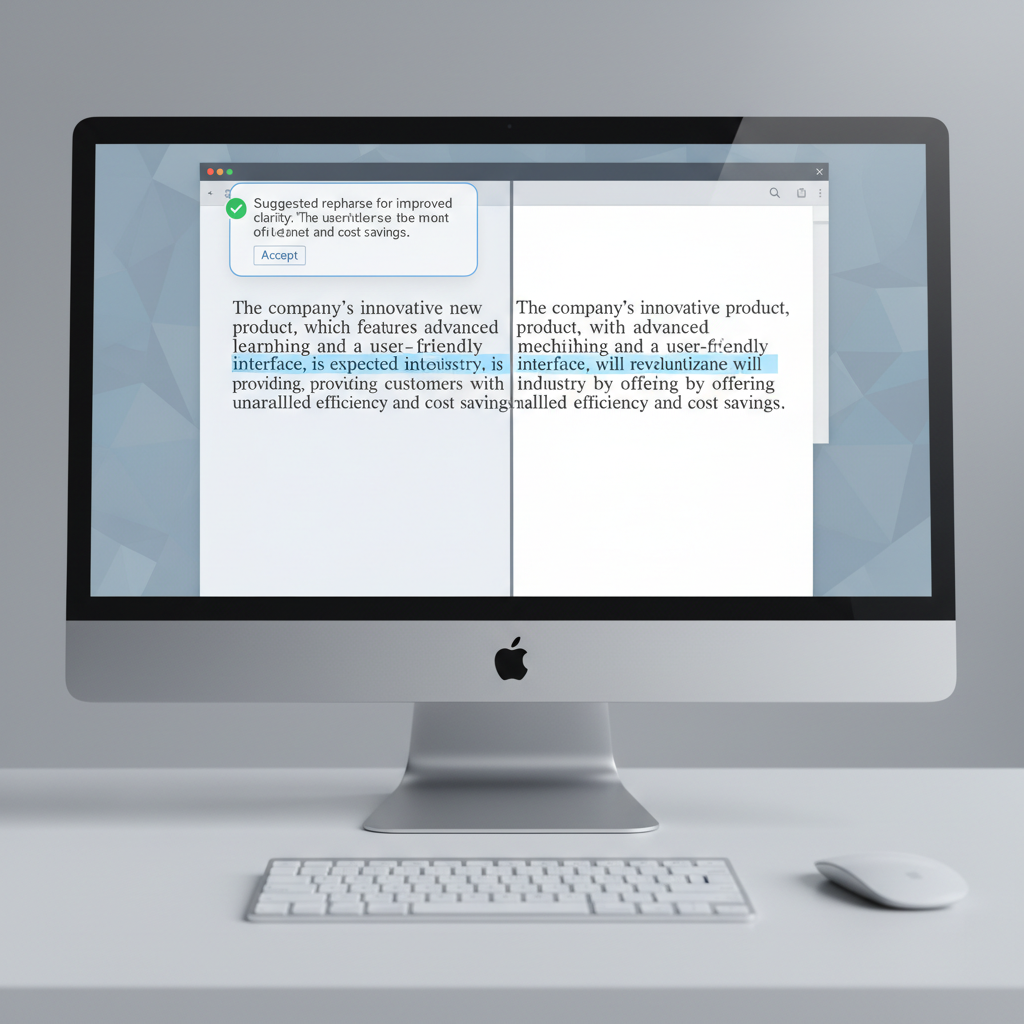
For instance, if you write, "The team are working hard," an AI grammar corrector would likely suggest changing "are" to "is" because "team" is typically treated as a singular noun in this context. This level of nuance is what sets AI-powered grammar correction apart. It's not just about fixing errors; it's about refining prose for clarity and impact, making it an indispensable tool for anyone writing important documents or communications.
The Magic Behind the Scenes: Machine Learning and Neural Networks
So, how does ai-powered predictive typing and text correction work in desktop environments? The "magic" lies in advanced machine learning algorithms, particularly neural networks. These are computational models inspired by the structure and function of the human brain, capable of learning from vast amounts of data. When you use tools like AutoCorrect PC, these networks are constantly processing your input, comparing it against their learned patterns, and generating predictions or corrections.
Neural networks, especially transformer models (the same family of technology behind large language models like ChatGPT), are adept at understanding context and relationships within text. They don't just look at individual words but at sequences of words, allowing them to grasp the meaning and intent behind your writing. This enables them to provide highly accurate suggestions and corrections that fit naturally within your sentences.
Training and Adaptation
These AI models are initially trained on enormous datasets of text from the internet, books, and other sources. This training allows them to learn the statistical likelihood of word sequences, grammatical rules, and common phrasing. However, a crucial aspect of modern desktop writing assistants is their ability to adapt to individual users. Over time, the AI learns your unique vocabulary, writing style, frequently used phrases, and even the names you use often.
This personalization means that the longer you use a tool like AutoCorrect PC, the better it becomes at assisting you. It remembers your preferences, reducing the chances of correcting a word you intentionally use in a specific way or suggesting irrelevant terms. This continuous learning loop creates a truly personalized writing experience that evolves with your needs.
AI Writing and Voice Typing: Beyond Basic Correction
The capabilities of AI writing assistants extend far beyond just correcting errors or predicting words. In 2026, features like AI writing generation and advanced voice typing are becoming integral parts of the desktop writing experience. These tools empower users to create content more efficiently and in new ways, transforming productivity.
AI writing features can generate text from simple prompts, rewrite existing sentences for clarity or different tones, and even expand on ideas. This is incredibly useful for drafting emails, brainstorming content, or overcoming writer's block. For example, you could select a paragraph and prompt the AI to "make this more concise" or "expand on this idea with examples." The generated text is then seamlessly inserted into your application, maintaining your workflow.
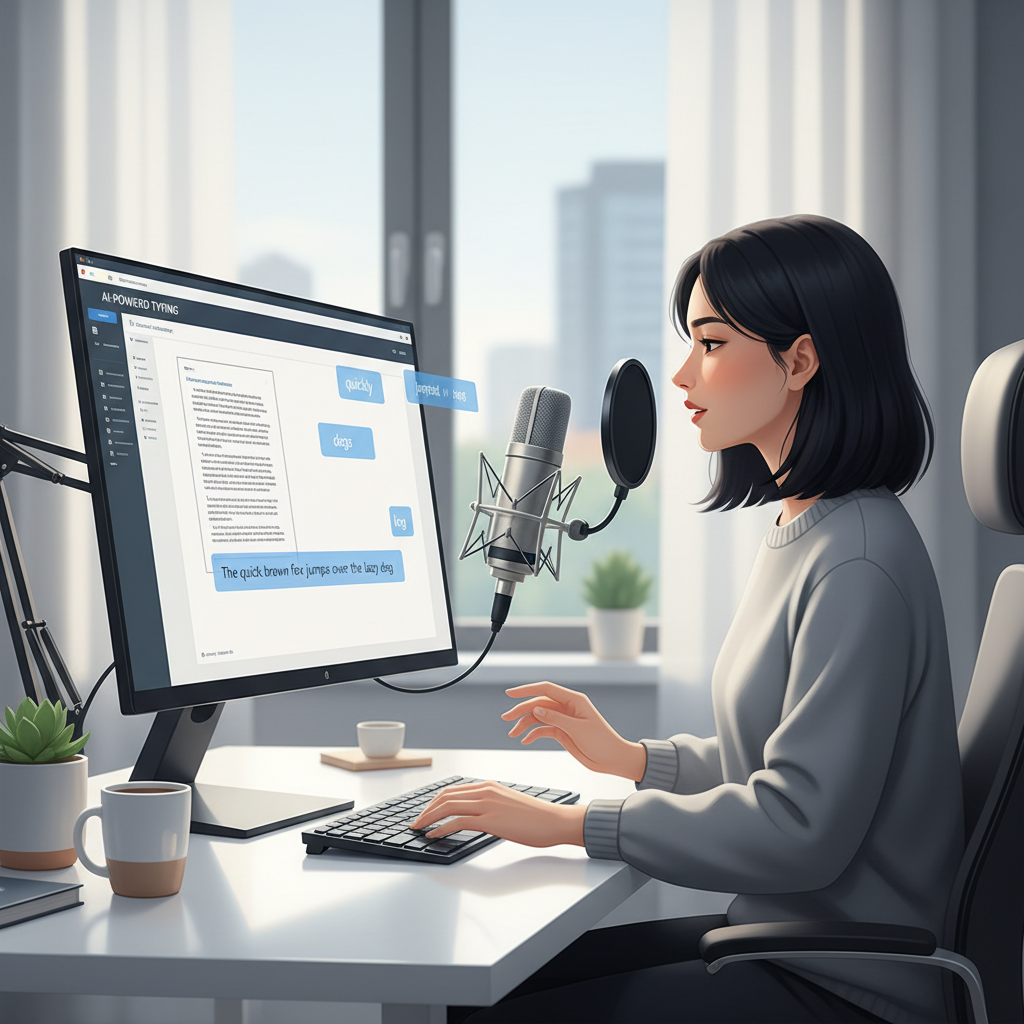
Voice typing, or speech-to-text, has also reached new levels of accuracy and integration. Instead of typing, you can simply speak, and the AI transcribes your words directly into any application. This is a game-changer for those who prefer dictation, have accessibility needs, or want to quickly capture thoughts without typing. Modern voice typing systems are robust enough to handle various accents and speaking styles, making them highly reliable for daily use.
Seamless Integration Across Windows
A key advantage of dedicated desktop writing assistants like AutoCorrect PC is their system-wide integration. Unlike browser extensions or web-only tools, these applications work across virtually all your Windows apps. Whether you're writing an email in Outlook, drafting a report in Word, chatting in Microsoft Teams, or filling out a web form in Chrome, the AI assistance is consistently available.
This universal compatibility ensures a uniform writing experience, eliminating the need to switch between different tools or copy-paste text for correction. The goal is to provide a truly seamless and always-on writing companion that enhances productivity regardless of the application you are using.
Privacy and Performance: Key Considerations for Desktop AI
As AI writing tools become more sophisticated, questions about privacy and performance naturally arise. Users want to ensure their data is secure and that the tools don't slow down their systems. Reputable desktop writing assistants prioritize both of these aspects.
Many core typing features, such as autocorrect, word completion, next-word prediction, and dictionary lookups, are processed locally on your computer. This means your everyday typing data never leaves your device, ensuring maximum privacy. This local processing also contributes to faster performance, as there's no latency involved in sending data to external servers and waiting for a response.

Features like AI writing generation, which often require more computational power and access to larger language models, might communicate with secure cloud servers only when explicitly invoked. Even then, user data is typically anonymized and handled with strict privacy protocols. It's crucial for users to choose tools that are transparent about their data handling practices, like AutoCorrect PC, which emphasizes a privacy-first approach.
Performance Optimization
Modern AI writing assistants are also optimized for performance. They are designed to run efficiently in the background without consuming excessive system resources. This means you can enjoy the benefits of AI assistance without experiencing slowdowns or battery drain, even on less powerful machines. Developers continually refine their algorithms and software architecture to ensure a smooth and responsive user experience.
Who Benefits Most from AI-Powered Writing Assistants?
AI-powered writing assistants are not just for professional writers; they offer significant advantages to a wide range of Windows users. Their versatility makes them invaluable across various professions and daily tasks.
- Business Professionals: For crafting professional emails, reports, and presentations, these tools ensure clarity, conciseness, and error-free communication, enhancing credibility.
- Students and Academics: From essays to research papers, students can benefit from grammar correction, vocabulary suggestions, and efficient note-taking through voice typing, improving the quality of their academic work.
- Content Creators and Marketers: Bloggers, copywriters, and social media managers can leverage AI writing features for brainstorming, drafting, and optimizing content quickly, maintaining a consistent brand voice.
- Non-Native English Speakers: These tools provide essential support for grammar, vocabulary, and phrasing, helping to build confidence and fluency in written English.
- Remote Workers: With increased reliance on digital communication, efficient and accurate typing is crucial for productivity in virtual environments.
- Individuals with Typing Disabilities: Features like voice typing and predictive text can significantly reduce the physical effort of typing, making digital communication more accessible.
The universal appeal of these tools lies in their ability to save time, reduce mental fatigue, and improve the overall quality of written output, making them a wise investment for anyone who regularly types on a Windows PC.
The Future of Desktop Writing: Beyond 2026
While 2026 showcases impressive advancements, the future of AI-powered desktop writing assistants promises even more sophisticated capabilities. We can anticipate deeper integration with user workflows, more nuanced understanding of intent, and even more personalized learning.
Imagine AI that not only corrects your grammar but also learns your preferred tone for different contexts (e.g., formal for clients, casual for colleagues) and adapts its suggestions accordingly. Future tools might offer advanced stylistic analysis, helping users refine their writing for specific audiences or purposes, providing feedback on readability, impact, and persuasiveness.
The integration of AI with other productivity tools will also likely deepen, creating a more cohesive digital ecosystem where writing assistance is just one facet of an intelligent personal assistant. As AI continues to evolve, these writing tools will become even more indispensable, transforming our interaction with text into a seamless, intuitive, and highly productive experience.
Conclusion
AI-powered predictive typing and text correction have transformed the desktop writing experience on Windows by 2026. Tools like AutoCorrect PC offer a comprehensive suite of features, from system-wide autocorrect and advanced predictive text to real-time grammar correction, AI writing generation, and voice typing. These innovations, driven by sophisticated machine learning and neural networks, not only boost typing speed and accuracy but also enhance the overall quality and efficiency of written communication. With a strong focus on privacy and seamless integration across all applications, these smart writing assistants have become indispensable tools for a diverse range of users, empowering everyone to write faster, cleaner, and with greater confidence.
Frequently Asked Questions
Q: What is the main difference between traditional autocorrect and AI-powered autocorrect?
A: Traditional autocorrect often relies on fixed dictionaries and simple rules, sometimes making incorrect changes. AI-powered autocorrect uses machine learning to understand context, sentence structure, and user habits, leading to much more accurate and intelligent corrections that adapt to your writing style.
Q: Does AI-powered predictive text learn my personal writing style?
A: Yes, absolutely. Modern AI writing assistants are designed to learn from your typing patterns, vocabulary, and frequently used phrases over time. This personalization ensures that the suggestions and predictions become increasingly relevant to your unique writing style, making the assistance more effective.
Q: Is my typing data safe with these AI writing tools?
A: Reputable AI writing tools like AutoCorrect PC prioritize privacy. Many core typing features (autocorrect, predictions, grammar checking) are processed locally on your device, meaning your everyday typing data does not leave your computer. Features like AI writing generation that might use cloud services typically do so with strict privacy protocols and often anonymized data. Always check the privacy policy of any software you use.
Q: Can these tools work in any Windows application?
A: Yes, a key advantage of dedicated desktop writing assistants like AutoCorrect PC is their system-wide integration. They are designed to work across virtually all Windows applications, including word processors, email clients, web browsers, chat apps, and more, providing consistent assistance wherever you type.
Q: Are AI writing assistants only for people who struggle with writing?
A: Not at all. While they are incredibly helpful for those who need assistance with grammar or spelling, they are also powerful productivity tools for proficient writers. They save time, reduce repetitive keystrokes, help overcome writer's block with AI generation, and ensure polished communication for everyone from business professionals to content creators.
Elevate Your Writing Today
Ready to experience the future of typing on your Windows PC? Unlock faster, cleaner, and more confident writing with AutoCorrect PC. Discover how system-wide autocorrect, intelligent word predictions, real-time grammar correction, AI writing, and voice typing can transform your productivity.
Related Posts
Best Text-to-Speech Software for Windows in 2026
Discover the top text-to-speech (TTS) software for Windows in 2026, offering natural voices, advanced features, and seamless integration to boost accessibility, productivity, and learning.
Read post →Top Productivity Software for Windows: A 2026 Buyer's Guide
Discover the best productivity software for Windows in 2026, focusing on AI writing assistants, system-wide autocorrect, and privacy. This guide helps you choose tools that enhance writing, streamline workflow, and save time.
Read post →Best Free Productivity Tools for Windows in 2026
Discover the top free productivity tools for Windows in 2026, featuring advanced AI, intelligent automation, and intuitive interfaces to streamline your workflow and boost efficiency. Learn about writing assistants, predictive text, grammar correction, and voice typing.
Read post →Want system-wide predictions, autocorrect, and voice typing on Windows?