
PC Auto Correct in 2026: The Future of Error-Free Typing
Discover how advanced PC auto correct tools and AI writing assistants are making error-free typing a reality in 2026, offering system-wide integration, grammar correction, and voice typing for Windows users.
The landscape of digital communication is constantly evolving, and with it, the tools we use to craft our words. In 2026, the concept of error-free typing is no longer a distant dream but a tangible reality, largely thanks to advanced writing assistants. These tools are transforming how we interact with our computers, making typing faster, more accurate, and significantly less frustrating. This article explores the future of pc auto correct and how innovations like AutoCorrect PC are leading the charge in creating a seamless, intelligent writing experience for every Windows user.
Key Takeaways
- System-Wide Integration: Modern autocorrect solutions, like AutoCorrect PC, offer system-wide functionality, meaning they work across all Windows applications, not just specific word processors or browsers.
- Beyond Basic Corrections: The future of autocorrect extends far beyond simple spelling fixes to include advanced grammar correction, predictive text, AI writing assistance, and even voice typing.
- Enhanced Productivity: These smart writing assistants significantly boost productivity by reducing typing errors, speeding up text input, and streamlining content creation workflows.
- Personalized Writing Experience: Advanced tools learn from user habits, offering tailored suggestions and corrections that adapt to individual writing styles and preferences.
- Privacy-First Approach: Leading solutions prioritize user privacy, often processing typing data locally on the device to ensure sensitive information remains secure.
- Accessibility for All: Comprehensive writing assistants provide invaluable support for individuals with typing challenges or those who are non-native English speakers, making digital communication more accessible.
The Evolution of AutoCorrect: From Simple Fixes to Smart Assistants
For decades, autocorrect has been a staple in word processors, primarily focused on fixing common typos and misspellings. Early iterations were often rudimentary, sometimes leading to humorous or frustrating "autocorrect fails." However, the technology has matured dramatically. What started as a dictionary lookup and replacement function has evolved into sophisticated AI-driven systems that understand context, grammar, and even writing style.
Today's advanced writing assistants are designed to be proactive, not just reactive. They anticipate your next word, suggest grammatical improvements in real-time, and can even generate or rephrase entire sentences. This shift represents a fundamental change in how we perceive and utilize these tools. They are no longer just error catchers; they are intelligent partners in the writing process, helping users articulate their thoughts more effectively and efficiently. The goal is to minimize friction between thought and text, allowing ideas to flow unimpeded.
Why Traditional Windows Autocorrect Falls Short
While Windows has some built-in autocorrect capabilities, they often fall short of modern user expectations. The native Windows autocorrect is typically inconsistent, working in some applications but not others. For instance, you might find basic spelling corrections in Microsoft Word or Outlook, but these features often disappear when you switch to a browser, a messaging app like Slack or Teams, or a specialized code editor. This fragmentation creates a disjointed user experience, forcing users to adapt to varying levels of assistance across different platforms.
Furthermore, Windows' native autocorrect usually lacks advanced features such as comprehensive grammar checking, predictive text suggestions, or AI writing capabilities. It's a basic tool designed for simple error correction, not for enhancing overall writing productivity or quality across the entire operating system. This limitation becomes particularly apparent for professionals, students, and content creators who rely on seamless, intelligent writing assistance in every application they use throughout their day. This is where dedicated solutions like AutoCorrect PC step in to fill the gap.
The Power of System-Wide Autocorrect and Predictive Text
The true game-changer in the world of digital writing is system-wide autocorrect. This means that the writing assistant operates consistently across all applications on your Windows PC, from your web browser and email client to your coding IDE and PDF editor. No more toggling features on and off or dealing with inconsistent behavior. A tool like AutoCorrect PC provides this unified experience, ensuring that every keystroke benefits from intelligent correction and prediction.
Beyond mere error correction, modern systems offer robust predictive text capabilities. As you type, the software analyzes your input and suggests the most likely next words or phrases. This significantly reduces the number of keystrokes required, boosting typing speed and efficiency. For example, if you type "I'm looking forward to," the system might suggest "hearing from you" or "your response." This proactive assistance helps maintain your writing flow and reduces cognitive load, allowing you to focus more on the content of your message rather than the mechanics of typing. This is especially beneficial for long-form writing or when crafting quick messages.
Grammar Correction and AI Writing: Beyond Basic Spelling
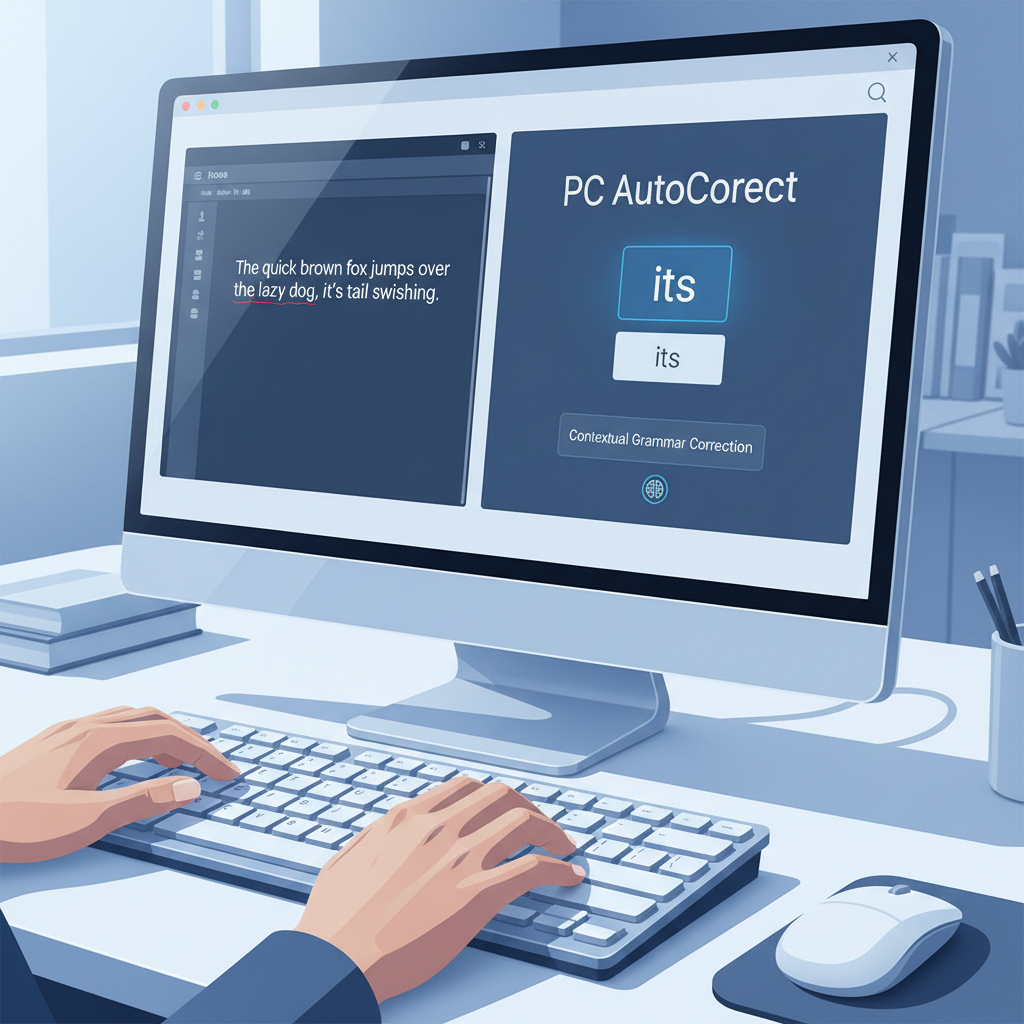
The future of error-free typing extends well beyond simple spelling and predictive text. Advanced writing assistants now integrate sophisticated grammar correction engines that can identify and suggest fixes for complex grammatical errors, punctuation mistakes, and stylistic inconsistencies. These tools analyze sentences in context, offering more intelligent suggestions than traditional spell checkers. For instance, they can differentiate between "their," "there," and "they're" based on sentence structure, or suggest rephrasing for clarity and conciseness.
Moreover, the integration of AI writing capabilities is revolutionizing content creation. With features like those found in AutoCorrect PC, users can generate, rewrite, or expand text directly within any application. Need to draft an email from a few bullet points? AI can help. Want to rephrase a paragraph to sound more professional or concise? AI can do that too. This not only saves time but also helps overcome writer's block and enhances the overall quality of written output. It's like having a professional editor and content generator at your fingertips, available system-wide.
Voice Typing: The Ultimate Hands-Free Writing Experience
As technology advances, the way we interact with our computers becomes more diverse. Voice typing, also known as speech-to-text, is rapidly gaining traction as a powerful alternative to traditional keyboard input. In 2026, integrated voice typing solutions are highly accurate and seamlessly integrated into system-wide writing assistants. Instead of typing, you can simply speak your thoughts, and the software transcribes them directly into any application you're using.
This feature is incredibly beneficial for a wide range of users. For those with physical limitations or repetitive strain injuries, voice typing offers a hands-free way to communicate. For busy professionals, it allows for dictation on the go or while multitasking. Students can dictate notes or essays, and content creators can quickly brainstorm ideas. With tools like AutoCorrect PC, your spoken words are accurately converted into text, allowing you to compose emails, documents, and messages with unprecedented speed and ease, all without ever touching your keyboard. This represents a significant leap forward in accessibility and productivity.
Privacy and Performance: Core Pillars of Modern Writing Assistants
In an era of increasing digital awareness, privacy has become a paramount concern for users. Modern writing assistants understand this and are built with privacy-first principles. Leading solutions, such as AutoCorrect PC, prioritize local processing for most typing features. This means that your everyday typing, including autocorrect, word completion, next-word prediction, speech transcription, grammar correction, and dictionary lookups, happens directly on your computer. Your sensitive data doesn't leave your device, ensuring maximum security and confidentiality.
Only specific features, like advanced AI writing generation, might require communication with external servers, and even then, this is typically done only when explicitly activated by the user. This approach strikes a balance between leveraging powerful cloud-based AI and safeguarding personal information. Alongside privacy, performance is crucial. A good writing assistant should operate smoothly in the background without slowing down your system or interfering with your workflow. Efficient algorithms and optimized software design ensure that these powerful features enhance your productivity without any noticeable lag or resource drain.
Customization and Learning: Tailoring the Writing Experience
One of the most powerful aspects of future-proof writing assistants is their ability to customize and learn from individual user habits. No two writers are exactly alike, and a truly smart assistant recognizes this. Users can often add custom words to dictionaries, create their own auto-replacement rules for frequently used phrases or abbreviations, and fine-tune correction aggressiveness. For instance, if you frequently use specific jargon or proper nouns, you can teach the system to recognize them and not flag them as errors.
Beyond explicit customization, these tools employ machine learning to adapt to your unique writing style, vocabulary, and common mistakes. Over time, the suggestions become more accurate and relevant to your personal usage. This means the software gets smarter the more you use it, providing an increasingly personalized and efficient writing experience. This adaptive learning ensures that the writing assistant becomes an indispensable extension of your own thought process, anticipating your needs and helping you write more naturally and effectively.
Who Benefits Most from Advanced Writing Assistants?
The widespread utility of advanced writing assistants makes them invaluable for a diverse range of users.
- Professionals: Business professionals, from marketing specialists to project managers, can draft emails, reports, and presentations with greater speed and accuracy, ensuring polished communication.
- Students: Academic writing becomes less daunting with real-time grammar checks, vocabulary suggestions, and AI assistance for structuring essays or research papers.
- Content Creators & Writers: Bloggers, journalists, and authors can maintain their creative flow, overcome writer's block with AI prompts, and ensure their content is error-free across all platforms.
- Non-Native English Speakers: These tools offer crucial support in improving written English proficiency, correcting nuanced grammatical errors, and suggesting appropriate vocabulary.
- Individuals with Typing Challenges: For those with dyslexia, dysgraphia, or physical impairments, voice typing and predictive text significantly reduce the effort and frustration associated with writing.
- Remote Workers: In a world where digital communication is paramount, clear and error-free messages are essential for effective collaboration, making these tools a must-have for remote teams.
Essentially, anyone who types regularly on a Windows PC stands to gain significant benefits in terms of productivity, accuracy, and overall writing quality.

AutoCorrect PC: Leading the Charge in 2026
When we look at the future of error-free typing in 2026, AutoCorrect PC stands out as a prime example of an all-encompassing smart writing assistant for Windows. It embodies all the advanced features discussed, providing a seamless, system-wide experience that traditional solutions simply cannot match. From its robust autocorrect and predictive text capabilities that work in every application, to its intelligent grammar correction and powerful AI writing tools, AutoCorrect PC is designed to keep users in their flow.
The integration of voice typing further enhances its versatility, offering a complete suite of tools for any writing task. Crucially, its privacy-first approach ensures that user data remains secure, processing most typing features locally. AutoCorrect PC isn't just about fixing mistakes; it's about transforming the entire typing experience, making it faster, cleaner, and more efficient for every Windows user. It represents the pinnacle of what a modern writing assistant should be.
The Impact on Writing Skills: A Double-Edged Sword?
As writing assistants become more sophisticated, a common question arises: Will future generations become poorer at spelling and grammar due to over-reliance on these tools? This is a valid concern, and it's a topic of ongoing discussion. Some argue that constant correction might reduce the need for individuals to learn and internalize spelling rules, potentially leading to a decline in fundamental writing skills. A Quora discussion highlights this concern, with some users suggesting that reliance on autocorrect could indeed diminish spelling abilities over time.
However, others contend that these tools free up cognitive load, allowing writers to focus more on the substance, structure, and creativity of their content rather than getting bogged down by mechanics. For non-native speakers or individuals with learning disabilities, these tools can be empowering, enabling them to communicate effectively where they might otherwise struggle. The key lies in using these tools judiciously, perhaps as a safety net and a learning aid, rather than a complete substitute for understanding basic writing principles. Ultimately, the goal is to augment, not replace, human writing abilities.
Comparison: AutoCorrect PC vs. Other Writing Tools
To illustrate the unique position of AutoCorrect PC in the 2026 landscape, let's compare its capabilities against other common writing tools.
| Feature | Windows Built-in | Microsoft Editor | Grammarly (Desktop) | AutoCorrect PC |
|---|---|---|---|---|
| System-Wide Autocorrect | Limited | No | Partial | Yes |
| Predictive Text | No | No | No | Yes |
| Grammar Correction | Basic | Good | Excellent | Excellent |
| AI Writing Assistance | No | No | Limited | Yes |
| Voice Typing | Limited | No | No | Yes |
| Works in Any App | No | No (MS Apps) | Partial | Yes |
| Local Processing (Typing) | Yes | No | No | Yes |
This table clearly shows that while other tools offer specific strengths, AutoCorrect PC provides a comprehensive, system-wide solution that integrates all the advanced features necessary for truly error-free and efficient typing across the entire Windows ecosystem.
Conclusion
The future of error-free typing in 2026 is bright, driven by intelligent writing assistants that go far beyond simple spell-checking. Tools like AutoCorrect PC are redefining what's possible, offering system-wide autocorrect, advanced grammar correction, predictive text, AI writing, and voice typing that seamlessly integrate into every aspect of your Windows experience. These innovations are not just about correcting mistakes; they are about enhancing productivity, fostering clearer communication, and making digital writing more accessible and enjoyable for everyone. As we move forward, these smart writing assistants will continue to evolve, becoming even more intuitive and indispensable tools for the modern digital age.
Upgrade Your Typing Experience Today
Ready to experience the future of error-free typing on your Windows PC? Download AutoCorrect PC and transform the way you write.
Discover AutoCorrect PC's smart writing features and start typing faster and cleaner across all your applications.
Related Posts
Best Text-to-Speech Software for Windows in 2026
Discover the top text-to-speech (TTS) software for Windows in 2026, offering natural voices, advanced features, and seamless integration to boost accessibility, productivity, and learning.
Read post →Top Productivity Software for Windows: A 2026 Buyer's Guide
Discover the best productivity software for Windows in 2026, focusing on AI writing assistants, system-wide autocorrect, and privacy. This guide helps you choose tools that enhance writing, streamline workflow, and save time.
Read post →Best Free Productivity Tools for Windows in 2026
Discover the top free productivity tools for Windows in 2026, featuring advanced AI, intelligent automation, and intuitive interfaces to streamline your workflow and boost efficiency. Learn about writing assistants, predictive text, grammar correction, and voice typing.
Read post →Want system-wide predictions, autocorrect, and voice typing on Windows?