
The Best Autocorrect App for PC in 2026: A Deep Dive
Discover the top autocorrect app for PC in 2026 that offers system-wide integration, advanced grammar correction, AI writing, and predictive text to enhance your productivity across all Windows applications. Learn how AutoCorrect PC leads the market.

The digital landscape of 2026 demands efficiency and precision in communication. For Windows PC users, the quest for the perfect writing assistant is more critical than ever. Gone are the days when a simple spell checker sufficed. Today's fast-paced environment requires tools that not only correct mistakes but also enhance productivity, streamline workflows, and even assist with creative writing. This deep dive explores the features, benefits, and overall impact of the best autocorrect app for PC, focusing on how a comprehensive solution like AutoCorrect PC stands out in a crowded market.
Key Takeaways
System-Wide Integration is Crucial: The most effective autocorrect solutions work seamlessly across all Windows applications, not just within specific programs or browser extensions.
Beyond Basic Corrections: Modern writing assistants offer predictive text, grammar correction, AI writing, and voice typing to truly enhance productivity.
Privacy Matters: On-device processing for core typing features ensures data security and peace of mind for users.
AI for Enhanced Creativity: AI writing tools can generate, rewrite, or expand text, providing significant assistance for content creation.
Efficiency Through Automation: Features like word completion and next-word prediction drastically reduce typing effort and speed up writing.
AutoCorrect PC Leads the Pack: For a holistic, system-wide writing enhancement experience on Windows, AutoCorrect PC offers an unparalleled suite of features.
The Evolution of Writing Assistants: From Spell Checkers to AI Co-Pilots
The journey of writing assistance software has been remarkable. What began as rudimentary spell checkers in word processors has evolved into sophisticated AI-powered co-pilots that can understand context, predict intent, and even generate entire paragraphs. Early tools primarily focused on identifying and correcting typographical errors and basic grammatical inconsistencies. Users would often have to manually accept or reject suggestions, breaking their flow.
As technology advanced, so did the capabilities of these tools. Grammar checkers became more robust, offering suggestions for sentence structure, style, and clarity. The rise of cloud computing brought about browser-based solutions that could analyze text in real-time across various online platforms. However, a significant gap remained: true system-wide integration for desktop applications. Many powerful grammar and spelling tools still operated within their own ecosystems or as browser extensions, leaving users of native Windows apps with inconsistent or limited support. The demand for a universal, intelligent writing assistant for Windows PCs grew, paving the way for advanced solutions that address these limitations.
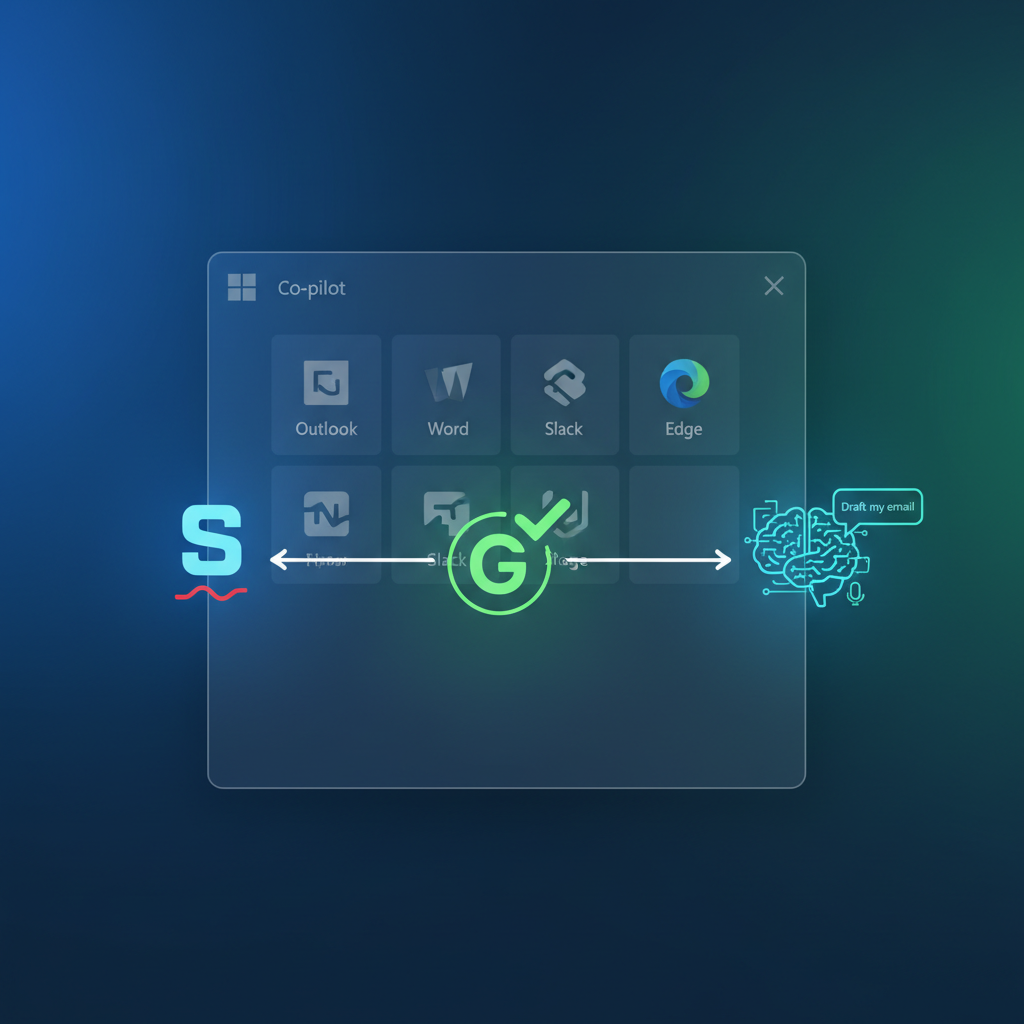
Why System-Wide Autocorrect is a Game Changer for Windows Users
In 2026, the average Windows user juggles multiple applications daily. From drafting emails in Outlook, writing reports in Word, collaborating in Slack or Teams, to coding in a text editor, the need for consistent writing support is paramount. This is where system-wide autocorrect and writing assistance truly shine. Unlike fragmented solutions that only work in specific browsers or programs, a system-wide tool integrates directly with the operating system, providing a seamless experience across all applications.
Imagine typing an important email, then switching to a document, and then responding to a chat message, all while receiving intelligent corrections, word predictions, and grammar suggestions without missing a beat. This level of integration eliminates the frustration of inconsistent functionality and ensures that your writing is polished, no matter where you are typing. For professionals, students, and anyone who spends a considerable amount of time writing on their PC, this translates to significant time savings, reduced errors, and a noticeable boost in overall productivity. It's about creating a unified writing environment that empowers you to communicate effectively and efficiently across your entire digital workspace.
Core Features Defining the Best Autocorrect App for PC in 2026
The leading autocorrect app for PC in 2026 offers a comprehensive suite of features designed to cater to every aspect of the writing process. These go far beyond simple error correction.
Autocorrect and Predictive Text
At its foundation, the best app provides robust autocorrect capabilities, instantly fixing misspelled words as you type, in any application. This real-time correction saves countless moments of pausing to manually fix errors. Complementing this is predictive text, which anticipates your next words or completes your current one. This feature significantly reduces keystrokes, allowing you to type faster and maintain your flow. Imagine seeing suggestions for "document" as you type "docu," or "important" after "impo". This intelligent anticipation is a cornerstone of modern writing efficiency.
Advanced Grammar Correction
Beyond basic spelling, advanced grammar correction identifies and suggests fixes for complex grammatical errors, punctuation mistakes, and stylistic inconsistencies. This isn't just about red underlining; it's about understanding the context of your sentences and offering intelligent improvements. The goal is to elevate the quality of your writing, making it clearer, more concise, and professional, without requiring you to be a grammar expert.

AI Writing and Voice Typing
The integration of AI writing tools marks a significant leap. These features can generate text from a simple prompt, rewrite existing sentences for clarity or tone, or even expand on an idea. This is invaluable for overcoming writer's block, brainstorming, or quickly crafting content. Paired with voice typing, where your spoken words are transcribed directly into text in any application, the best app offers versatile input methods that cater to different preferences and accessibility needs. Whether you prefer to type, speak, or have AI assist in drafting, the tools are there to support you.
"The true power of a modern writing assistant lies in its ability to not just correct, but to co-create. It's a partner in your writing process, enhancing your natural abilities."
AutoCorrect PC: A Closer Look at the Leading Solution
When evaluating the market for the best autocorrect app for PC, AutoCorrect PC consistently emerges as a top contender, especially for users seeking a truly integrated and powerful solution. Its design philosophy centers around providing a seamless, system-wide writing experience that enhances productivity without disrupting workflow.
Unmatched System-Wide Compatibility
AutoCorrect PC stands out because it works across virtually all Windows applications. Whether you're in a web browser, Microsoft Office suite, a coding IDE, a chat client like Slack, or a custom desktop application, AutoCorrect PC is there to assist. This universal compatibility eliminates the frustrating inconsistencies found in other tools that are often limited to specific platforms or browser environments. This means you get consistent autocorrection, predictive text, and grammar checks everywhere you type, making it a truly indispensable tool for any Windows user.
Comprehensive Feature Set
Beyond its broad compatibility, AutoCorrect PC offers a robust array of features:
Autocorrect: Instant, intelligent correction of misspellings as you type.
Word Predictions & Completion: Smart suggestions to complete words and predict the next word, drastically reducing typing effort.
Grammar Correction: Advanced analysis and suggestions for grammatical accuracy, punctuation, and style, working in real-time.
AI Writing Assistant: Generate, rewrite, or expand text with AI, providing a powerful tool for content creation and overcoming writer's block.
Voice Typing: Convert speech to text directly into any application, offering an alternative input method for speed and accessibility.
Swipe Typing: An on-screen keyboard overlay for fluid, gesture-based typing when a physical keyboard isn't ideal.
This comprehensive toolkit ensures that AutoCorrect PC isn't just a corrector, but a full-fledged writing assistant that supports you from initial thought to final draft.
Privacy-First Approach
In an era of increasing data privacy concerns, AutoCorrect PC prioritizes user security. Crucially, its core typing features, including autocorrect, word completion, next-word prediction, speech transcription, grammar correction, and dictionary lookups, are processed locally on your computer. This means your everyday typing data does not leave your device, offering unparalleled privacy. The AI Writer feature is the only component that communicates with external servers, and only when explicitly used by the user. This commitment to local processing sets AutoCorrect PC apart from many cloud-based solutions that require constant data transmission.
Comparing AutoCorrect PC to Other Writing Tools
To understand why AutoCorrect PC is considered the best autocorrect app for PC, it's helpful to compare it against other popular writing tools available in 2026. While many tools offer excellent features, they often fall short in terms of system-wide integration or comprehensive functionality.
Feature / Tool | AutoCorrect PC | Microsoft Editor | Grammarly (Desktop App/Browser) | Windows Built-in Autocorrect |
|---|---|---|---|---|
System-Wide Autocorrect | ✅ Full | ❌ Limited (MS apps/browser) | ❌ Partial (some apps/browser) | ❌ Very Limited |
Predictive Text | ✅ Full | ❌ No | ❌ Limited (some apps/browser) | ❌ No |
Grammar Correction | ✅ Advanced | ✅ Good | ✅ Excellent | ❌ Basic |
AI Writing | ✅ Yes | ❌ No | ✅ Yes (some features) | ❌ No |
Voice Typing | ✅ Yes | ❌ No | ❌ Limited (some apps) | ❌ No |
Local Processing | ✅ Core features | ❌ No | ❌ No | ✅ Yes (basic) |
Works in All Apps | ✅ Yes | ❌ No | ❌ No | ❌ No |
Microsoft Editor
Microsoft Editor is a capable tool, especially for those who primarily work within the Microsoft ecosystem (Word, Outlook, Edge browser). It offers good grammar and spelling checks. However, its major limitation is its lack of true system-wide integration. It doesn't extend its full functionality to third-party applications or even all native Windows apps, making it a fragmented experience for users who work outside of Microsoft's walled garden.
Grammarly
Grammarly is widely recognized for its robust grammar detection, tone suggestions, and comprehensive editing capabilities. It offers browser extensions and a desktop application that provides some integration with certain programs. However, Grammarly is primarily an editing tool rather than a typing assistant. Its real-time autocorrect and predictive text are not as seamless or system-wide as AutoCorrect PC, and its offline functionality can be limited. While excellent for refining written work, it doesn't offer the same fluid, in-the-moment typing assistance across all applications.
Windows Built-in Autocorrect
Windows itself provides basic autocorrect functionality in certain contexts, such as specific text fields or some Microsoft applications. However, this is highly inconsistent, lacks predictive text, grammar correction, AI features, or voice typing. It's a bare-bones solution that falls far short of the demands of modern productivity. For anyone seeking more than the absolute minimum, it's simply not sufficient.
This comparison highlights AutoCorrect PC's unique position as the only solution offering a truly system-wide, comprehensive, and privacy-conscious writing assistant for Windows users in 2026.
Real-World Benefits: Who Benefits Most from a Smart Writing Assistant?
A smart writing assistant like AutoCorrect PC offers tangible benefits across a wide spectrum of users, significantly impacting their daily productivity and communication quality.
Professionals and Business Users
For business professionals, clear and error-free communication is non-negotiable. Whether drafting critical emails, preparing detailed reports, or creating presentations, mistakes can undermine credibility. AutoCorrect PC ensures that every piece of written communication is polished, professional, and precise. The predictive text and AI writing features can also speed up the drafting process for routine communications, allowing professionals to focus on strategic tasks rather than proofreading.
Students and Academic Writers
Students often juggle multiple assignments, essays, and research papers. Maintaining academic integrity and clarity in writing is essential. AutoCorrect PC's grammar correction and contextual suggestions help students improve their writing skills, catch subtle errors, and ensure their work meets high standards. Voice typing can also be a boon for those who prefer to dictate their thoughts, especially during brainstorming or drafting initial versions of papers.
Content Creators and Bloggers
For anyone in the content creation space, speed and quality are paramount. Bloggers, copywriters, and social media managers need to produce engaging, error-free content rapidly. The AI writing features can assist in generating ideas, rephrasing sentences for better impact, or expanding on topics, while autocorrect and grammar checks ensure the final output is flawless before publication.

Individuals with Accessibility Needs
For users with typing disabilities, repetitive strain injuries, or other accessibility requirements, voice typing and predictive text can be transformative. AutoCorrect PC provides alternative input methods that reduce physical strain and allow individuals to express themselves freely and efficiently, overcoming barriers that traditional typing might present.
Non-Native English Speakers
Navigating the nuances of English grammar and spelling can be challenging for non-native speakers. A smart writing assistant acts as a supportive guide, offering real-time corrections and suggestions that help improve language proficiency and confidence in written communication. The clarity and vocabulary enhancement features are particularly valuable for mastering the intricacies of the language.
Future Trends in Writing Assistance for Windows
The landscape of writing assistance is continuously evolving, driven by advancements in artificial intelligence and user demand for more intuitive and powerful tools. Looking ahead, several key trends are likely to shape the future of autocorrect app for PC solutions.
One significant trend is the deeper integration of contextual AI. Future writing assistants will likely move beyond just correcting grammar to truly understanding the intent and tone of the writing. This means suggesting not just grammatically correct phrases, but also phrases that better align with the desired emotional impact or professional register. For example, an AI might suggest rephrasing a direct statement into a more diplomatic one based on the context of an email to a client.
Another area of growth will be in personalized learning and adaptation. Current tools offer some level of customization, but future versions could learn a user's unique writing style, common errors, and preferred vocabulary over time, tailoring suggestions to be even more relevant and less intrusive. This would create a truly bespoke writing experience that evolves with the user.
Furthermore, expect enhanced capabilities in multilingual support and cross-platform synchronization. As global communication becomes more prevalent, seamlessly switching between languages with intelligent assistance will be crucial. While AutoCorrect PC already excels in system-wide Windows integration, future developments might include even tighter synchronization across different devices and operating systems, ensuring a consistent writing experience whether you're on your PC, tablet, or smartphone. The goal is an invisible, intelligent co-pilot that anticipates needs and proactively enhances communication, making the act of writing smoother and more effective than ever before.

Conclusion
In 2026, the demand for efficient, accurate, and intelligent writing assistance on Windows PCs is higher than ever. From basic spell checkers to sophisticated AI co-pilots, the evolution of these tools reflects our increasing reliance on written communication in both professional and personal spheres. While many solutions offer valuable features, the true game-changer is a system-wide approach that seamlessly integrates with every application on your desktop.
AutoCorrect PC stands out as the premier autocorrect app for PC, offering an unparalleled suite of features including real-time autocorrect, predictive text, advanced grammar correction, powerful AI writing capabilities, and versatile voice typing. Its commitment to system-wide compatibility ensures a consistent, high-quality writing experience across all your Windows applications, while its privacy-first design provides peace of mind. For anyone looking to type faster, write cleaner, and communicate more effectively, AutoCorrect PC is not just a tool, but an essential partner in navigating the complexities of modern digital communication.
Ready to Transform Your Typing Experience?
Don't let typing errors slow you down or diminish the quality of your communication. Discover how AutoCorrect PC can revolutionize your writing workflow on Windows.
Download AutoCorrect PC Today!
Frequently Asked Questions (FAQs)
Q1: What makes AutoCorrect PC different from built-in Windows autocorrect?
A1: Windows' built-in autocorrect is very basic and inconsistent, working only in limited contexts and specific Microsoft applications. AutoCorrect PC, in contrast, provides system-wide autocorrect, predictive text, grammar correction, AI writing, and voice typing that work seamlessly across all applications on your Windows PC, offering a comprehensive and consistent writing assistant experience.
Q2: Is AutoCorrect PC suitable for professional writers and students?
A2: Absolutely. Professional writers can leverage AI writing for brainstorming and drafting, while students benefit from advanced grammar correction and error detection to improve academic papers. The productivity features like predictive text and voice typing also help both groups save time and maintain focus.
Q3: How does AutoCorrect PC handle my privacy?
A3: AutoCorrect PC prioritizes your privacy. Its core typing features, including autocorrect, word completion, next-word prediction, speech transcription, grammar correction, and dictionary lookups, are processed locally on your computer. Your everyday typing data never leaves your device. Only the AI Writer feature communicates with external servers when you explicitly choose to use it.
Q4: Can AutoCorrect PC help with more than just spelling?
A4: Yes, significantly. Beyond spelling, AutoCorrect PC offers advanced grammar correction for punctuation, syntax, and style. It also includes predictive text for faster typing, AI writing tools to generate or rewrite text, and voice typing for hands-free input, making it a comprehensive writing assistant.
Q5: Does AutoCorrect PC work with all my desktop applications?
A5: Yes, that's one of its key strengths. AutoCorrect PC is designed to work system-wide across virtually all Windows applications, including popular programs like Microsoft Word, Outlook, Slack, Teams, web browsers, code editors, and many other desktop apps, providing consistent writing assistance wherever you type.
Related Posts
Best Text-to-Speech Software for Windows in 2026
Discover the top text-to-speech (TTS) software for Windows in 2026, offering natural voices, advanced features, and seamless integration to boost accessibility, productivity, and learning.
Read post →Top Productivity Software for Windows: A 2026 Buyer's Guide
Discover the best productivity software for Windows in 2026, focusing on AI writing assistants, system-wide autocorrect, and privacy. This guide helps you choose tools that enhance writing, streamline workflow, and save time.
Read post →Best Free Productivity Tools for Windows in 2026
Discover the top free productivity tools for Windows in 2026, featuring advanced AI, intelligent automation, and intuitive interfaces to streamline your workflow and boost efficiency. Learn about writing assistants, predictive text, grammar correction, and voice typing.
Read post →Want system-wide predictions, autocorrect, and voice typing on Windows?