
Top PC Autocorrect Tools for Flawless Writing in 2026
Discover the best PC autocorrect solutions for Windows in 2026, offering advanced grammar correction, predictive text, AI writing, and system-wide integration to boost your productivity and accuracy.
Key Takeaways
Boost Productivity: Modern writing assistants, like AutoCorrect PC, streamline the writing process with features such as system-wide autocorrect, predictive text, and AI writing tools.
Enhance Accuracy: Beyond basic spell check, these tools offer advanced grammar correction and auto-replacement capabilities, ensuring cleaner, more professional output.
Improve Accessibility: Voice typing and intuitive interfaces cater to diverse user needs, including those with typing challenges or who prefer dictation.
Maintain Privacy: Leading solutions prioritize on-device processing for sensitive typing data, communicating with external servers only for specific features like AI writing.
Future-Proof Your Writing: Integrating AI and machine learning, these tools are continuously evolving to offer more sophisticated assistance, anticipating user needs in 2026 and beyond.
In today's fast-paced digital world, clear, concise, and error-free writing is more crucial than ever. Whether you are a student drafting an essay, a professional crafting an important email, or a content creator developing engaging articles, the demand for flawless text is constant. Manual proofreading can be time-consuming and prone to human error, making pc autocorrect solutions indispensable. These smart writing assistants go far beyond simple spell check, offering a suite of features designed to enhance productivity, accuracy, and overall writing quality. By 2026, these tools are not just a convenience, but a necessity for anyone looking to communicate effectively on their Windows PC. This article explores the top tools and trends shaping the future of writing assistance, with a particular focus on how solutions like AutoCorrect PC are leading the charge.
The Evolution of Writing Assistance on Windows
The journey of writing assistance has come a long way from rudimentary spell checkers. Early word processors introduced basic error detection, often highlighting misspelled words with a red squiggly line. While helpful, these tools only addressed a fraction of the challenges writers face. The advent of more sophisticated software began to integrate grammar checks, offering suggestions for punctuation, syntax, and common grammatical errors. However, these were often confined to specific applications, requiring users to copy and paste text into external editors for comprehensive review.
The modern era of writing assistance, exemplified by tools such as AutoCorrect PC, marks a significant leap forward. These applications are designed to work system-wide, meaning their benefits extend across virtually any application on your Windows computer, from email clients and web browsers to word processors and chat applications. This seamless integration eliminates workflow interruptions, allowing users to maintain their focus and flow. The shift towards predictive text, AI writing, and voice typing capabilities represents a holistic approach to improving the entire writing experience, not just the final proofreading stage. This evolution reflects a growing understanding of how people write and the diverse needs of different users, from those seeking speed to those requiring comprehensive error correction.

Beyond Basic Spell Check: Advanced Features for Flawless Writing
While spell checking remains a foundational component, today's advanced writing assistants offer a rich array of features that elevate writing quality significantly. These tools are engineered to catch nuances that traditional checkers miss, providing a more comprehensive safety net for your text.
Grammar Correction and Style Enhancement
One of the most valuable aspects of modern writing assistants is their ability to perform grammar correction in real time. Unlike older tools that might flag a simple subject-verb agreement error, advanced solutions delve deeper. They can identify complex sentence structure issues, suggest improvements for clarity and conciseness, and even offer stylistic enhancements. For instance, AutoCorrect PC doesn't just point out mistakes, it suggests contextually appropriate fixes, helping users understand why a change is recommended. This is particularly beneficial for non-native English speakers or anyone aiming to refine their writing style. The goal is not just to fix errors, but to help users develop better writing habits over time.
Predictive Text and Word Completion
Speed and efficiency are paramount in today's digital communication. Predictive text and word completion features significantly accelerate the typing process. As you begin to type a word, the software intelligently suggests completions, allowing you to select the correct option with a single keystroke. This reduces the number of characters you need to type, saving time and reducing the physical strain of prolonged typing. AutoCorrect PC, for example, offers smart word predictions that learn from your writing patterns and vocabulary, making suggestions increasingly accurate and personalized over time. This adaptive learning ensures that the tool becomes more helpful the more you use it, truly acting as a smart writing assistant.
Auto Replacement and Custom Dictionaries
For professionals who frequently use specific jargon, acronyms, or technical terms, auto replacement is a game-changer. This feature allows users to define custom shortcuts that automatically expand into longer phrases or correct common misspellings unique to their field. Imagine typing "btw" and having it instantly expand to "by the way," or "CRM" becoming "Customer Relationship Management." This not only saves time but also ensures consistency across all your communications. Furthermore, the ability to create and manage custom dictionaries means that industry-specific terms or proper nouns are correctly recognized, preventing them from being flagged as errors. This level of customization makes tools like AutoCorrect PC incredibly versatile and adaptable to various professional contexts.
The Power of AI in Writing: From Generation to Refinement
Artificial Intelligence (AI) has revolutionized many industries, and writing is no exception. In 2026, AI-powered writing tools are no longer futuristic concepts, but integral components of effective communication. These technologies extend beyond mere error correction, offering capabilities that can transform how we approach drafting and editing.
AI Writing and Content Generation
One of the most exciting advancements is AI writing, which can assist in generating new content or expanding existing text based on a simple prompt. Imagine needing to draft a quick email, brainstorm ideas for a blog post, or even rephrase a complex paragraph. AI writing tools can take your input and provide coherent, contextually relevant suggestions in moments. AutoCorrect PC's AI Writer feature allows users to generate, rewrite, or expand text directly within their application. This means you can select a piece of text and, with a prompt, have the AI refine it for tone, clarity, or length, or even create entirely new sentences or paragraphs related to the selected content. This capability is invaluable for overcoming writer's block or for quickly generating variations of text for different audiences.
Voice Typing and Speech-to-Text Accuracy
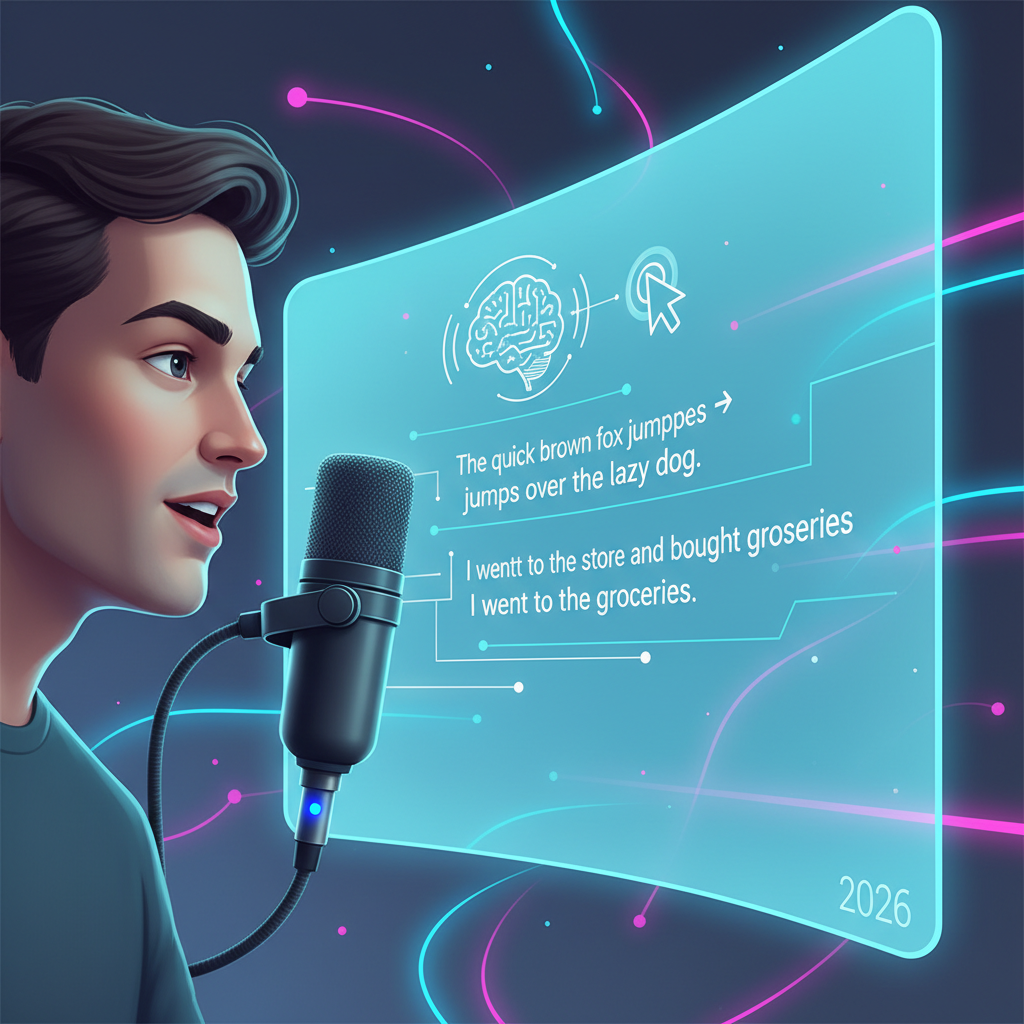
For many, typing can be a barrier to productivity. Whether due to physical limitations, a preference for speaking, or simply the desire for a faster input method, voice typing has emerged as a powerful solution. Modern speech-to-text engines, often powered by AI, offer remarkable accuracy, transcribing spoken words into written text with impressive speed. This feature is particularly useful for drafting long documents, taking notes during meetings, or simply when your hands are occupied. AutoCorrect PC integrates this functionality seamlessly, allowing users to speak directly into any application and have their words appear on screen. This accessibility feature is a game-changer, opening up new possibilities for how we interact with our computers and create written content.
"The integration of AI into writing assistants is not about replacing human creativity, but augmenting it. These tools act as intelligent co-pilots, helping writers express their ideas more efficiently and effectively."
Leading AI in Writing Expert
System-Wide Integration: The AutoCorrect PC Advantage
The true power of a modern writing assistant lies in its ability to integrate seamlessly into your daily workflow. Unlike browser extensions or web-based tools that are confined to specific environments, a system-wide solution like AutoCorrect PC offers unparalleled convenience and consistency across all your applications.
Working Across All Desktop Apps
Imagine writing an email in Outlook, drafting a report in Microsoft Word, chatting with colleagues in Slack, or even filling out an online form in your web browser. With AutoCorrect PC, the same robust set of writing assistance features is available everywhere you type. This system-wide autocorrect means you don't have to switch between different tools or worry about inconsistent corrections. Your personalized dictionary, auto-replacements, and predictive text suggestions follow you across every application, maintaining a consistent and efficient writing experience. This universal applicability is a significant differentiator from many other writing tools available today.
Local Processing for Privacy and Speed
In an age where data privacy is a growing concern, the way writing assistants handle your text is crucial. Many cloud-based solutions require your data to be sent to external servers for processing, raising questions about security and confidentiality. AutoCorrect PC addresses this by prioritizing local processing for most of its core typing features. This means that autocorrect, word completion, next-word prediction, speech transcription, grammar correction, and dictionary lookups are all performed directly on your computer. Your everyday typing stays on your device, ensuring maximum privacy and faster response times. The AI Writer feature is the only component that communicates with external servers, and only when you explicitly choose to use it, giving you full control over your data.
Comparison to Other Writing Tools
To illustrate the unique value proposition of system-wide tools, consider this comparison:
| Feature | AutoCorrect PC (System-Wide) | Browser Extensions (e.g., Grammarly) | Cloud AI Writers (e.g., Jasper, ChatGPT) |
|---|---|---|---|
| Works Across Desktop Apps | ✓ | ✗ (Browser only) | ✗ (Usually web only) |
| Autocorrect | ✓ | Some | ✗ |
| Word Predictions | ✓ | Limited | ✗ |
| Grammar Correction | ✓ | ✓ | ✓ |
| Voice Typing | ✓ | Limited | Some |
| AI Writing | ✓ | Some | ✓ |
| Multi-Language Dictionaries | ✓ | Some | Some |
| Local Processing | ✓ (for typing features) | ✗ (often cloud-based) | ✗ (cloud-based) |
This table highlights AutoCorrect PC's comprehensive approach, offering a centralized and private solution for all your writing needs on Windows.

Enhancing Productivity for Diverse Users
The benefits of advanced writing assistants extend to a wide range of users, each finding unique ways to leverage these tools for improved productivity and communication.
Professional Writers and Content Creators
For professional writers, bloggers, and content creators, time is money. Tools that can speed up the drafting process, ensure grammatical accuracy, and suggest stylistic improvements are invaluable. The predictive text and auto-replacement features of AutoCorrect PC allow for faster content generation, while its grammar correction helps maintain a high standard of quality, crucial for professional credibility. The AI Writer can also be a powerful assistant for brainstorming, outlining, or refining content, allowing writers to focus more on creative ideas and less on mechanical corrections. This efficiency translates directly into increased output and higher quality deliverables.
Students and Academic Writers
Students face immense pressure to produce well-written, error-free assignments. From essays and research papers to presentations, academic writing demands precision. A system-wide writing assistant can help students catch common grammatical errors, improve sentence structure, and ensure consistent spelling and punctuation across all their academic work. For those who struggle with typing speed or have learning differences, voice typing offers an accessible alternative, enabling them to articulate their thoughts more freely and efficiently. This support can significantly reduce stress and improve academic performance.
Business Professionals and Remote Workers
In the corporate world, clear and professional communication is non-negotiable. Emails, reports, presentations, and internal communications all reflect on an individual and their organization. AutoCorrect PC helps business professionals ensure their written communications are polished and professional, free from typos and grammatical blunders. For remote workers, who rely heavily on written communication, these tools are even more critical for maintaining clarity and avoiding misunderstandings across distributed teams. The ability to quickly draft messages, correct errors on the fly, and even generate text with AI can streamline daily tasks and enhance overall efficiency.
Accessibility and Inclusivity in Writing
Modern writing assistants are not just about efficiency; they are also powerful tools for accessibility and inclusivity, breaking down barriers for users with diverse needs.
Supporting Users with Typing Disabilities
For individuals with physical typing disabilities, conditions like dyslexia, or those recovering from injuries, the act of typing can be challenging or even painful. Voice typing provides a vital alternative, allowing them to dictate their thoughts directly into their computer. This eliminates the need for extensive keyboard interaction, making digital communication accessible to a much broader audience. Furthermore, features like predictive text can reduce the number of keystrokes required, easing the burden on those who find typing difficult. AutoCorrect PC's commitment to system-wide voice typing ensures that this essential accessibility feature is available wherever a user needs to write.
Multi-Language Support and Learning
For non-native English speakers, writing in English can be fraught with difficulties, from complex grammar rules to idiomatic expressions. Writing assistants with robust grammar correction and contextual suggestions can be incredibly helpful in refining their English writing skills. While AutoCorrect PC primarily focuses on English, its underlying technology can be adapted to support multi-language dictionaries and provide more nuanced assistance. These tools act as a learning aid, offering real-time feedback that helps users understand and correct their mistakes, thereby improving their language proficiency over time. This aspect of writing assistance fosters greater inclusivity in digital communication.
Swipe Typing and Alternative Input Methods
Beyond traditional keyboard and voice input, some advanced writing assistants offer alternative input methods. For instance, AutoCorrect PC includes an on-screen swipe-style keyboard built into its overlay. This allows users to type without a physical keyboard, by dragging their finger or mouse across letters to form words. This can be particularly useful for touch-enabled Windows devices or for users who prefer this method of input. By providing multiple ways to interact with text, these tools cater to a wider array of preferences and accessibility requirements, ensuring that everyone can write effectively and comfortably.
The Future of PC Autocorrect: Trends for 2026
The landscape of writing assistance is continuously evolving. Looking ahead to 2026, several key trends will shape the next generation of pc autocorrect solutions, making them even more powerful and intuitive.
Deeper AI Integration and Personalization
Expect AI to become even more deeply integrated, moving beyond basic suggestions to offer highly personalized writing advice. Future tools will likely analyze individual writing styles, preferences, and common errors to provide tailored feedback. This means the assistant will learn not just your vocabulary, but your unique voice, helping you maintain consistency while still improving clarity and impact. AI will also play a larger role in understanding the intent behind your writing, offering suggestions that align with your communicative goals, whether it's a formal report or a casual message.
Advanced Contextual Understanding
The ability of writing assistants to understand context will significantly improve. Instead of just correcting isolated errors, future tools will analyze entire paragraphs or documents to ensure coherence, logical flow, and appropriate tone. This could involve suggesting better transitions between sentences, identifying redundant phrases, or even recommending alternative phrasing to better suit the audience or purpose of the text. This advanced contextual understanding will make writing assistants more like sophisticated editorial partners.
Seamless Multimodal Input
While voice typing is already powerful, the future will see even more seamless integration of multimodal input. This could include combining voice commands with gestures, or allowing users to sketch ideas that are then translated into text outlines. The goal is to make the input process as natural and effortless as possible, adapting to how individuals prefer to express themselves. This will further enhance accessibility and open up new creative avenues for writers.
Enhanced Privacy and Security Features
As AI becomes more prevalent, so too will concerns about data privacy and security. Leading writing assistant providers will continue to innovate in this area, offering even more robust on-device processing capabilities and transparent data handling policies. Users will have greater control over their data, with clear options for what information is processed locally versus what might be sent to the cloud for advanced AI functions. This focus on privacy will build trust and encourage wider adoption of these powerful tools.
Choosing the Right Writing Assistant for Your Needs
With a growing number of writing assistants available, selecting the right one for your Windows PC can seem daunting. However, by considering your specific needs and priorities, you can make an informed decision.
Identify Your Primary Writing Challenges
Are you primarily concerned with grammatical accuracy, typing speed, or generating content efficiently? If you frequently make spelling mistakes or struggle with complex grammar, a tool with strong autocorrect and grammar correction features is essential. If you spend a lot of time drafting emails or documents, predictive text, word completion, and AI writing capabilities will be highly beneficial. For those who find typing difficult, voice typing is a must-have. Understanding your main pain points will guide your choice.
Prioritize System-Wide Integration
For maximum productivity and convenience, a writing assistant that works across all your desktop applications is superior to browser-specific extensions. A system-wide solution ensures a consistent experience, eliminating the need to adapt to different tools for different tasks. AutoCorrect PC's ability to provide its full suite of features in any Windows application is a significant advantage in this regard.
Consider Privacy and Local Processing
If you handle sensitive information or simply value your privacy, investigate how the writing assistant processes your data. Tools that offer local processing for core typing features, like AutoCorrect PC, provide a higher level of security and peace of mind. Always review the privacy policy of any software you consider.
Evaluate AI Capabilities and Customization
For those looking to leverage the power of AI, assess the AI writing features. Can it generate text, rewrite content, or expand on ideas effectively? Also, consider customization options, such as the ability to create custom dictionaries and auto-replacements. These features can significantly enhance the tool's utility for your specific writing context.
Look for Ease of Use and Learning Curve
A powerful tool is only effective if it's easy to use. Look for an intuitive interface and a minimal learning curve. The best writing assistants integrate seamlessly into your workflow without causing distractions or requiring extensive setup. User reviews and free trials can be excellent resources for evaluating usability.

Conclusion
The evolution of writing assistance on Windows PCs has transformed the way we approach written communication. From basic spell checkers to sophisticated AI-powered solutions, tools like AutoCorrect PC offer a comprehensive suite of features designed to enhance productivity, accuracy, and accessibility. By providing system-wide autocorrect, advanced grammar correction, predictive text, AI writing, and voice typing, these smart writing assistants cater to the diverse needs of students, professionals, and content creators alike. As we look towards 2026, the trend points towards even deeper AI integration, greater personalization, and enhanced privacy, making these tools indispensable for achieving flawless writing in any digital environment. Choosing the right writing assistant means investing in clearer communication, increased efficiency, and a more confident writing experience.
Frequently Asked Questions
Q: What is AutoCorrect PC?
A: AutoCorrect PC is a smart writing assistant for Windows that helps you type faster and cleaner. It offers system-wide autocorrect, word predictions, grammar correction, AI writing, and voice typing across virtually any application on your PC.
Q: How does AutoCorrect PC differ from browser-based grammar checkers?
A: Unlike browser-based tools that only work in your web browser, AutoCorrect PC provides its features system-wide, meaning it works in all your desktop applications, including email clients, word processors, chat apps, and more. It also prioritizes local processing for most typing features, enhancing privacy.
Q: Is my typing data private with AutoCorrect PC?
A: Yes, AutoCorrect PC is designed with privacy in mind. Your everyday typing data, including autocorrect, word completion, next-word prediction, speech transcription, grammar correction, and dictionary lookups, is processed locally on your device. The AI Writer feature is the only component that communicates with external servers, and only when you explicitly use it.
Q: Can AutoCorrect PC help with more than just grammar and spelling?
A: Absolutely. Beyond grammar and spelling, AutoCorrect PC offers predictive text to speed up typing, auto-replacement for custom shortcuts, and an AI Writer to generate, rewrite, or expand text. It also includes voice typing for hands-free input and an on-screen swipe keyboard for alternative input methods.
Q: Who can benefit from using a PC autocorrect solution like AutoCorrect PC?
A: A wide range of users can benefit, including students, professional writers, content creators, business professionals, remote workers, and anyone looking to improve their writing efficiency and accuracy. It's also particularly helpful for non-native English speakers and individuals with typing disabilities due to its accessibility features like voice typing.
Q: Is AutoCorrect PC available for Mac?
A: AutoCorrect PC is specifically designed for Windows operating systems to provide deep system-wide integration. Currently, it is not available for Mac.
Q: How do I get started with AutoCorrect PC?
A: You can easily download and install AutoCorrect PC from our official website. We offer a free trial, allowing you to experience all its features firsthand before making a commitment.
Experience Flawless Writing with AutoCorrect PC
Ready to transform your writing experience on Windows? Discover the power of system-wide autocorrect, intelligent word predictions, advanced grammar correction, and intuitive AI writing. Download AutoCorrect PC today and start typing faster, cleaner, and with greater confidence across all your applications.
Related Posts
Best Text-to-Speech Software for Windows in 2026
Discover the top text-to-speech (TTS) software for Windows in 2026, offering natural voices, advanced features, and seamless integration to boost accessibility, productivity, and learning.
Read post →Top Productivity Software for Windows: A 2026 Buyer's Guide
Discover the best productivity software for Windows in 2026, focusing on AI writing assistants, system-wide autocorrect, and privacy. This guide helps you choose tools that enhance writing, streamline workflow, and save time.
Read post →Best Free Productivity Tools for Windows in 2026
Discover the top free productivity tools for Windows in 2026, featuring advanced AI, intelligent automation, and intuitive interfaces to streamline your workflow and boost efficiency. Learn about writing assistants, predictive text, grammar correction, and voice typing.
Read post →Want system-wide predictions, autocorrect, and voice typing on Windows?