
Transform Your Typing: Auto Correct Keyboard PC Apps for 2026
Revolutionize your writing with advanced auto correct keyboard PC apps like AutoCorrect PC. Discover system-wide efficiency, AI writing, predictive text, and grammar correction to boost productivity across all Windows applications in 2026.
Key Takeaways
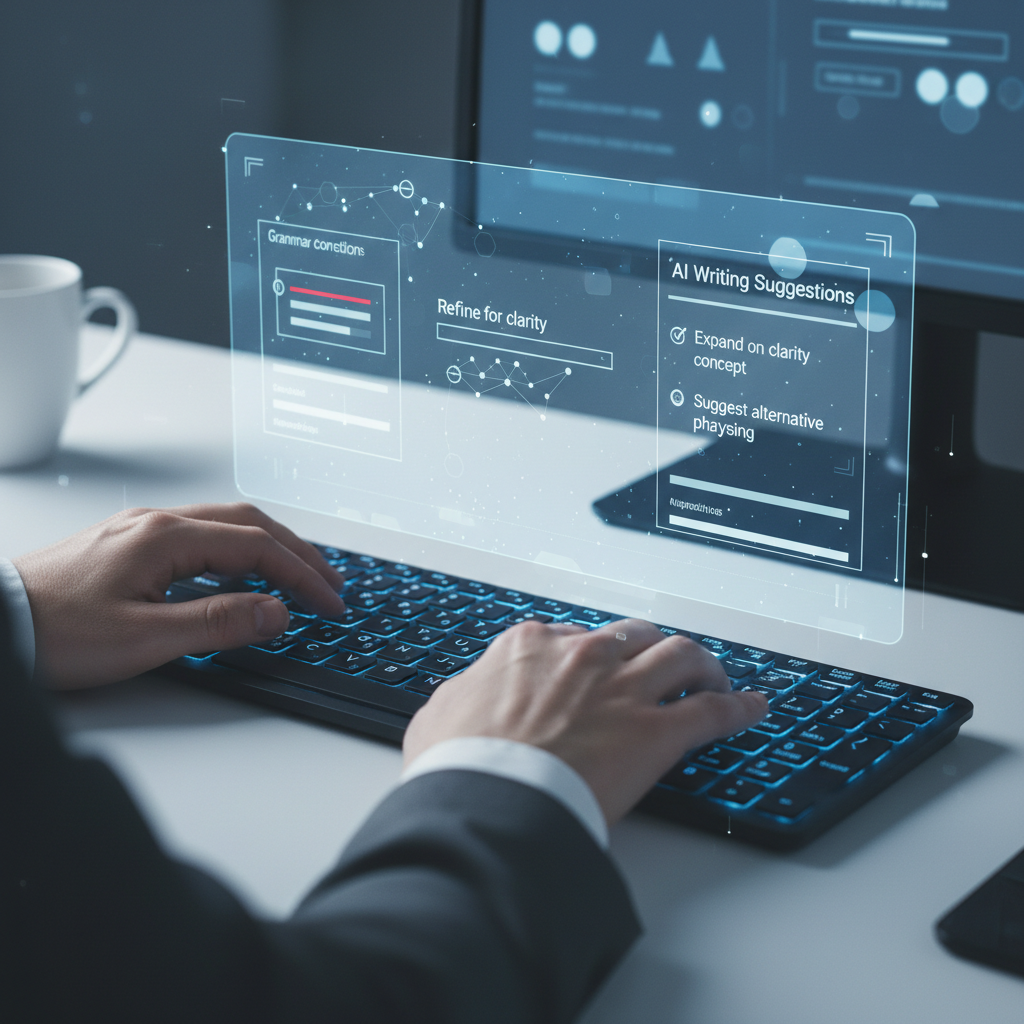
- System-Wide Efficiency: Modern auto correct keyboard pc applications like AutoCorrect PC offer comprehensive writing assistance across all Windows applications, unlike built-in tools or browser extensions.
- Beyond Basic Corrections: These tools go beyond simple spell-checking, integrating predictive text, grammar correction, AI writing, and voice typing for a holistic productivity boost.
- Increased Productivity: Users can experience significant improvements in typing speed, accuracy, and overall writing quality, saving time and reducing mental effort.
- Tailored Writing Experience: Advanced features allow for personalization, adapting to individual writing styles and creating custom shortcuts for frequently used phrases.
- Accessibility and Inclusivity: Voice typing and enhanced predictive features provide valuable support for individuals with typing challenges or those seeking alternative input methods.
- Future of Digital Communication: As technology evolves, these smart writing assistants will become indispensable for efficient and error-free digital communication in 2026 and beyond.
The digital landscape of 2026 demands efficiency, accuracy, and seamless communication. For Windows users, the traditional approach to typing is no longer enough. We've all experienced the frustration of typos, grammatical errors, and the sheer time spent crafting emails, documents, and messages. Fortunately, the evolution of auto correct keyboard PC applications is revolutionizing how we interact with our computers, transforming typing from a chore into a streamlined, intelligent process. This article explores how these advanced tools, particularly AutoCorrect PC, are set to redefine your writing experience, offering unparalleled productivity and precision across all your Windows applications.
The Evolution of Typing: From Basic Spell Check to Smart Assistants
Remember when autocorrect was just a simple spell checker in Word, often more annoying than helpful? Those days are long gone. The modern auto correct keyboard PC app is a sophisticated writing assistant, integrating multiple advanced technologies to support every aspect of your digital communication. This shift reflects a growing need for tools that not only fix mistakes but actively enhance the writing process.
Early iterations of autocorrect were limited to specific applications, primarily word processors. They offered rudimentary spell-checking and sometimes basic grammar suggestions. While a step up from manual proofreading, these tools often lacked context and consistency. Users found themselves toggling between applications, copying and pasting text into dedicated grammar checkers, and still struggling with fragmented assistance. The disconnect between these tools and the diverse environments where we type, from email clients to chat apps and coding platforms, highlighted a significant gap in productivity.
Today, the landscape is dramatically different. Smart writing assistants are designed to work system-wide, understanding that your writing doesn't confine itself to a single program. They leverage artificial intelligence and machine learning to provide contextual suggestions, anticipate your next words, and even help generate content. This comprehensive approach means you're no longer just correcting errors; you're actively improving your writing efficiency and quality in real-time, no matter where you're typing on your Windows machine. The integration of features like predictive text, grammar correction, and AI writing tools marks a pivotal moment in how we interact with our digital text.
AutoCorrect PC: Your Comprehensive Windows Writing Companion
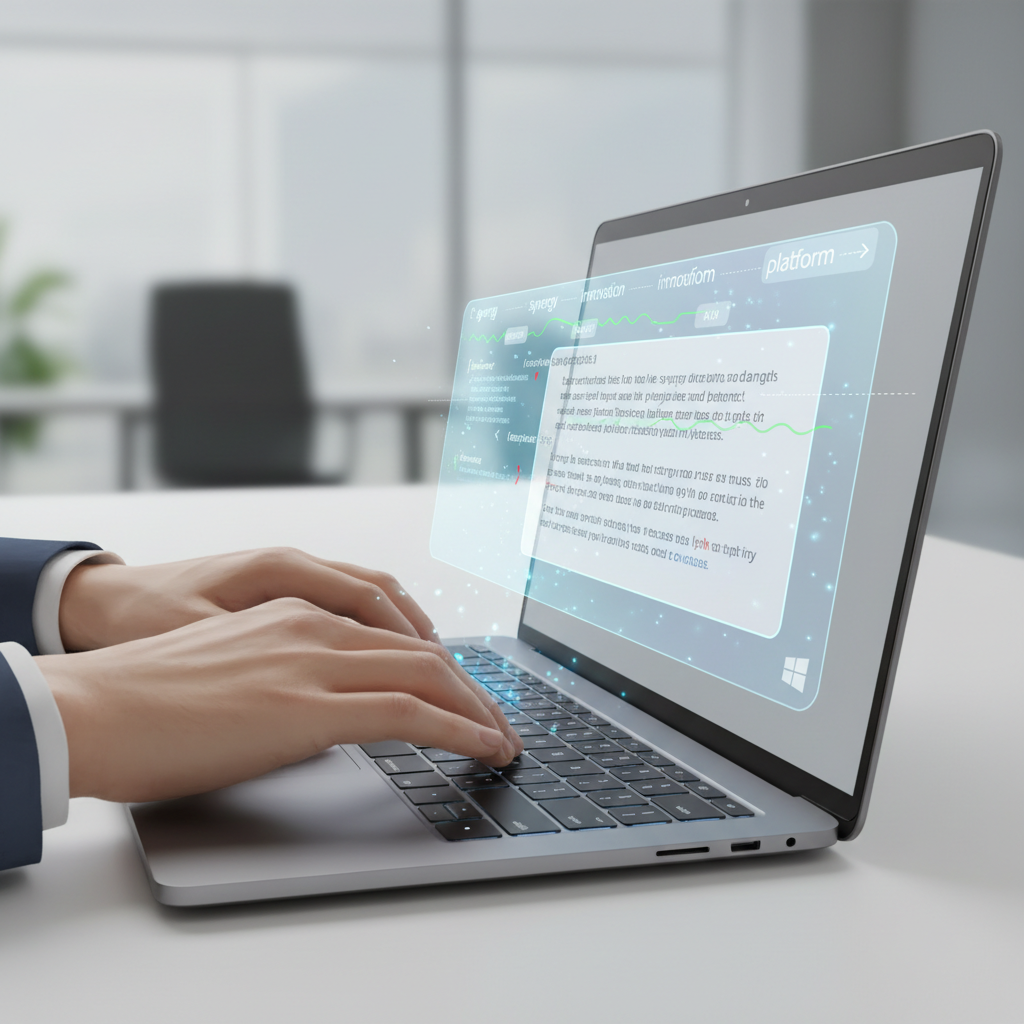
In the realm of advanced typing tools, AutoCorrect PC stands out as a leading solution for Windows users in 2026. It's not just an autocorrect tool; it's a full-fledged smart writing assistant designed to integrate seamlessly into your entire Windows environment. This means whether you're drafting an important business proposal, sending a quick message to a colleague, or working on academic papers, AutoCorrect PC is there to support you.
The core strength of AutoCorrect PC lies in its system-wide functionality. Unlike many other tools that are confined to browsers or specific applications, AutoCorrect PC operates across all your desktop apps. This universal compatibility is crucial for anyone who juggles multiple software programs throughout their day. Imagine having consistent autocorrection, predictive text, and grammar checks in your email client, your CRM software, your coding IDE, and even simple Notepad documents. This eliminates the frustration of inconsistent writing support and ensures a smooth, error-free workflow.
Beyond basic corrections, AutoCorrect PC offers a suite of powerful features:
- Predictive Text and Word Completion: As you type, the software intelligently suggests words and even entire phrases, significantly speeding up your writing. This feature learns from your writing style, making its predictions increasingly accurate over time.
- Advanced Grammar Correction: It goes beyond simple spelling, identifying and suggesting fixes for complex grammatical errors, punctuation issues, and stylistic inconsistencies, ensuring your writing is polished and professional.
- AI Writing Assistance: This cutting-edge feature allows you to generate, rewrite, or expand text directly from a simple prompt or selected content. It's like having a writing partner at your fingertips, ideal for overcoming writer's block or refining your message.
- Voice Typing: For those who prefer to speak rather than type, AutoCorrect PC offers robust voice typing capabilities, transcribing your spoken words directly into any application. This is a game-changer for accessibility and hands-free productivity.
This comprehensive approach makes AutoCorrect PC an indispensable tool for anyone looking to optimize their writing process on Windows.
Boosting Productivity and Efficiency with Smart Features
The primary goal of any advanced writing assistant is to enhance productivity. AutoCorrect PC achieves this through a combination of intelligent features designed to minimize effort and maximize output. For professionals, students, and everyday users, the benefits are immediate and tangible.
One of the most significant boosts comes from predictive text and word completion. Instead of typing out every single letter, you can often select the next word or phrase from a list of suggestions. This not only saves keystrokes but also reduces the cognitive load associated with recalling words, allowing your thoughts to flow more freely onto the screen. Consider the time saved over a week or a month when hundreds or thousands of keystrokes are eliminated. This efficiency is particularly valuable for those who spend a significant portion of their day writing.
"The real magic of smart writing assistants isn't just correcting mistakes, it's preventing them and accelerating your thought process. It's about removing friction between your ideas and their written expression."
Furthermore, grammar correction that works in real-time prevents errors from accumulating. Catching mistakes as they happen means less time spent on proofreading and editing later. This is especially critical for business professionals who need to maintain a high level of professionalism in their communications, or for students submitting assignments where accuracy is paramount. The system's ability to understand context and offer relevant fixes ensures that your message remains clear and impactful.
The AI writing feature is another powerful productivity enhancer. Facing a blank page can be daunting. With AI assistance, you can generate initial drafts, rephrase sentences for clarity, or expand on existing ideas with minimal effort. This feature can be a lifesaver for content creators, marketers, or anyone needing to produce high volumes of text quickly and efficiently. It acts as a creative catalyst, helping to overcome writer's block and explore different ways to articulate your thoughts.
Beyond Spelling: Grammar, AI, and Voice Typing
The days of autocorrect simply fixing "teh" to "the" are long past. Modern auto correct keyboard PC applications, like AutoCorrect PC, offer a much richer set of functionalities that address a wider spectrum of writing challenges. This multi-faceted approach ensures that users receive comprehensive support, moving beyond mere error correction to genuine writing enhancement.
Grammar correction is now highly sophisticated. Instead of just flagging incorrect spellings, these tools analyze sentence structure, subject-verb agreement, punctuation usage, and even stylistic nuances. For instance, AutoCorrect PC can identify if you've used a comma splice, an awkward phrasing, or a passive voice construction, offering clear and actionable suggestions for improvement. This is invaluable for non-native English speakers who might struggle with the intricacies of English grammar, as well as for native speakers who want to refine their writing to a professional standard. It's like having a personal editor overseeing your text in real-time.
The integration of AI writing capabilities is perhaps the most revolutionary advancement. This feature taps into large language models to assist with content creation in ways previously unimaginable. Need to rephrase a sentence to sound more formal? Want to expand a bullet point into a full paragraph? Or perhaps you need to generate a creative opening for an email? AutoCorrect PC's AI writer can handle these tasks with ease. You can select text and prompt the AI to summarize, expand, simplify, or even change the tone. This not only saves time but also helps foster creativity and ensures your message is conveyed effectively. It's a powerful tool for content creators, marketers, and anyone who needs to produce high-quality written material efficiently.
Furthermore, voice typing, or speech-to-text, has reached a level of accuracy and integration that makes it a viable alternative for text input. For individuals with repetitive strain injuries, typing disabilities, or simply those who prefer to dictate, this feature is a game-changer. AutoCorrect PC allows you to speak your thoughts directly into any application, transcribing them accurately and in real-time. This hands-free approach can significantly reduce physical strain and open up new avenues for productivity, allowing you to compose long documents or emails without touching the keyboard.
These advanced features collectively transform the typing experience, making it more efficient, accurate, and accessible for everyone.
Customization and Personalization: Tailoring Your Typing Experience
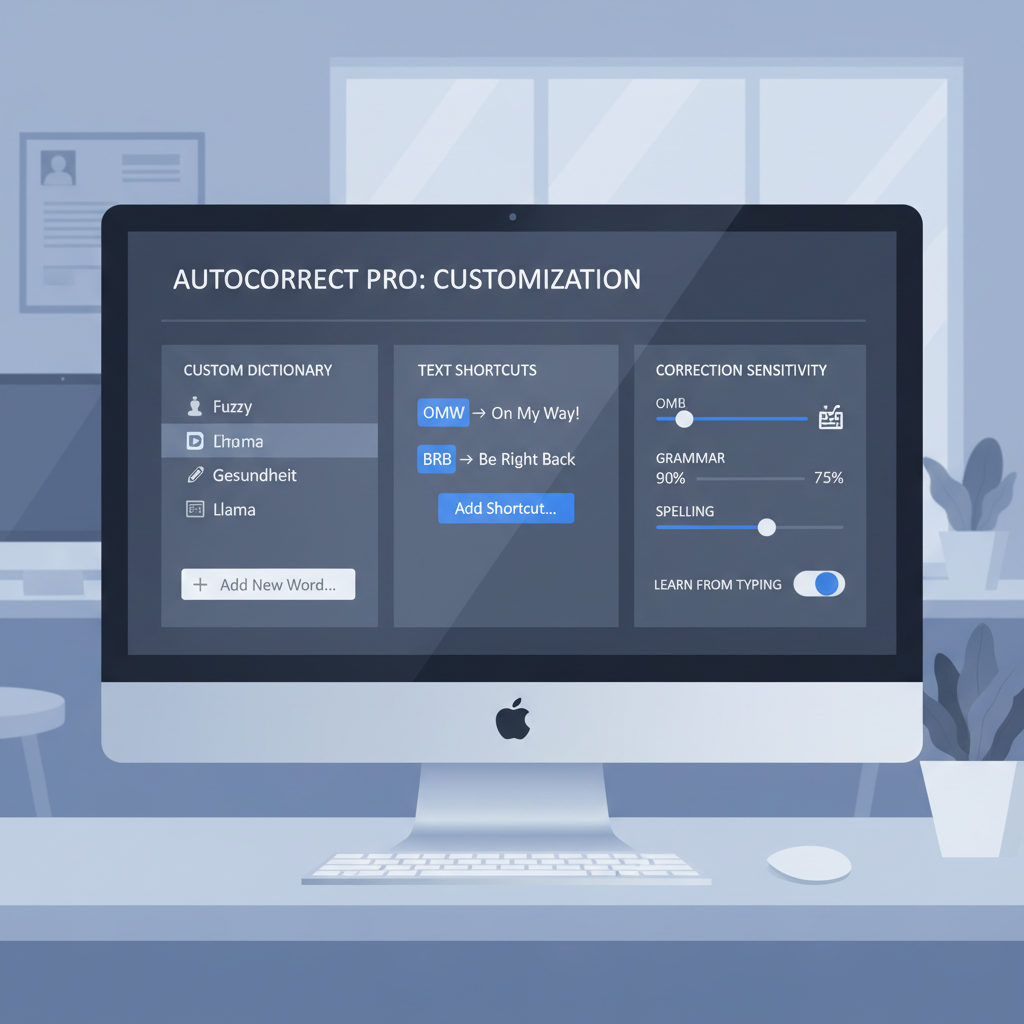
One of the often-overlooked yet critical aspects of modern writing assistants is their ability to adapt to individual user needs and preferences. Generic autocorrect can sometimes be more frustrating than helpful, but advanced tools like AutoCorrect PC offer extensive customization options, allowing you to tailor the typing experience to your unique style and workflow.
Personalized Dictionaries: Every writer has specific terminology, jargon, or proper nouns they use frequently that might not be in a standard dictionary. AutoCorrect PC allows you to add these words to a personal dictionary, ensuring they are recognized and not flagged as errors. This is particularly useful for professionals in specialized fields, academics, or anyone who uses unique brand names or technical terms. By building a custom vocabulary, you prevent unnecessary corrections and maintain your flow.
Custom Auto-Replacement Rules: Beyond simple dictionary additions, you can create custom auto-replacement rules. For example, you might type "eml" and have it automatically expand to your full email address, or "sig" to your complete professional signature. This feature is incredibly powerful for saving time on repetitive phrases, common greetings, or complex terms. It's like having a personal shorthand system that works across all your applications, significantly boosting efficiency. The ability to define these shortcuts means you type less and communicate more effectively.
Learning Your Writing Style: Advanced algorithms in AutoCorrect PC learn from your typing habits and writing style over time. The predictive text suggestions become more accurate and relevant the more you use the software. This adaptive learning ensures that the assistance you receive is not generic but specifically tailored to how you write, making the suggestions feel intuitive and genuinely helpful rather than intrusive. The system understands your preferred phrasing, common sentence structures, and even your tone, leading to more natural and efficient communication.
Adjustable Sensitivity and Features: Users can often adjust the sensitivity of grammar checks, the aggressiveness of autocorrection, or choose which features are active. If you prefer a lighter touch on grammar suggestions, you can configure it. If you want robust, immediate corrections, that's also an option. This level of control ensures that the writing assistant works with you, not against you, providing support exactly where and when you need it most.
By embracing these customization and personalization features, users can transform their typing experience from a one-size-fits-all solution into a finely tuned instrument that perfectly complements their individual writing process.
Who Benefits Most from These Advanced Tools?
The widespread utility of advanced auto correct keyboard PC applications means a broad spectrum of users can reap significant benefits. From busy professionals to creative writers, these tools address diverse needs and enhance productivity across various domains.
Business Professionals and Remote Workers: In today's fast-paced corporate environment, clear, concise, and error-free communication is paramount. Business professionals constantly draft emails, reports, presentations, and internal communications. AutoCorrect PC ensures that every message is polished and professional, saving valuable time on proofreading and preventing embarrassing mistakes. For remote workers, who rely heavily on written communication, these tools help maintain high standards and efficient collaboration, bridging potential communication gaps.
Students and Academic Writers: Academic success often hinges on the quality of written assignments. Students can leverage these tools for spelling, grammar, and even stylistic improvements in essays, research papers, and dissertations. The predictive text and AI writing features can assist with structuring arguments, expanding ideas, and ensuring academic integrity through clear expression. This support allows students to focus more on the content and less on mechanical errors.
Content Creators and Marketers: For bloggers, copywriters, and digital marketers, producing high-quality, engaging content consistently is a core requirement. AutoCorrect PC's AI writing capabilities can generate ideas, help with SEO-friendly phrasing, and streamline the content creation process. Grammar and spelling checks ensure that published content maintains credibility and professionalism, directly impacting audience engagement and brand perception.
Non-Native English Speakers: Navigating the complexities of English grammar and vocabulary can be challenging. Advanced writing assistants provide invaluable support by correcting errors in real-time, suggesting appropriate vocabulary, and helping to construct grammatically sound sentences. This empowers non-native speakers to communicate more confidently and effectively in English, whether for professional, academic, or personal purposes.
Individuals with Typing Disabilities or Accessibility Needs: Voice typing and enhanced predictive text offer crucial accessibility solutions. For those with physical limitations that make traditional typing difficult, voice input provides a seamless way to interact with their computer. Predictive text can reduce the number of keystrokes required, easing the burden on individuals with motor skill challenges. These tools promote inclusivity by making digital communication more accessible to everyone.
Anyone Seeking Productivity Gains: Ultimately, anyone who types regularly on their Windows PC and wishes to save time, reduce errors, and improve the overall quality of their written output will find immense value in these advanced writing assistants. The cumulative time savings and enhanced confidence translate into a significant productivity boost for everyday tasks.
The Future of Typing: What to Expect in 2026 and Beyond
As we look towards 2026 and beyond, the evolution of auto correct keyboard PC applications promises even more sophisticated and integrated writing experiences. The trend is clear: these tools will become even more intelligent, proactive, and personalized, further blurring the lines between human intent and automated assistance.
One major area of development will be deeper contextual understanding. Future writing assistants will likely move beyond sentence-level analysis to understand the broader context of your document, project, or conversation. This means suggestions will be even more relevant, adapting not just to your style but also to the specific topic, audience, and purpose of your writing. Imagine an AI that understands you're writing a formal legal brief versus a casual chat with a friend, and adjusts its suggestions accordingly.
Enhanced AI integration will also play a crucial role. We can expect AI writing features to become more powerful, capable of generating longer-form content, performing complex research summaries, and even assisting with creative storytelling based on minimal prompts. The collaboration between human and AI will become more seamless, with the AI acting as an ever-present, intelligent co-author.
Multimodal input will continue to advance. While voice typing is already robust, future systems may integrate gesture control, eye-tracking, and even thought-to-text interfaces, offering diverse ways to input and manipulate text. This will further improve accessibility and provide users with even more flexible options for interacting with their digital documents.
Increased personalization and learning will make these tools truly indispensable. Systems will learn not just your vocabulary and grammar preferences, but also your common writing patterns, emotional tone, and even your preferred level of formality. This deep learning will allow the assistant to anticipate your needs almost before you're aware of them, making the writing process feel incredibly intuitive and natural.
Finally, cross-device and cloud integration will ensure a consistent writing experience across all your platforms, from your desktop PC to your tablet and smartphone. Your personalized dictionaries, custom shortcuts, and learned writing style will follow you, providing a unified and intelligent writing environment wherever you go. The future of typing is not just about correcting mistakes; it's about an intelligent partnership that empowers you to communicate with unprecedented clarity, speed, and confidence.

Practical Tips for Maximizing Your AutoCorrect PC Experience
To truly unlock the power of a smart writing assistant like AutoCorrect PC, it's essential to go beyond basic usage and actively engage with its features. Here are some practical tips to maximize your experience and transform your typing habits:
- Embrace Predictive Text: Don't just wait for corrections; actively look at the predictive text suggestions. Over time, your muscle memory will adapt, and you'll find yourself selecting suggested words and phrases without conscious thought, significantly speeding up your typing.
- Build Your Custom Dictionary: Take the time to add industry-specific jargon, unique names, or frequently used acronyms to your personal dictionary. This prevents AutoCorrect PC from flagging them as errors and ensures smooth, uninterrupted writing.
- Create Text Shortcuts (Auto-Replacements): This is a game-changer for efficiency. Identify phrases you type repeatedly (e.g., "Regards," "Thank you for your email," "project update"). Create short, memorable shortcuts for them (e.g., "reg," "tyfe," "prup"). AutoCorrect PC will expand these instantly, saving countless keystrokes daily.
- Experiment with AI Writing: Don't be afraid to use the AI writer for more than just generating new content. Try selecting a paragraph and asking the AI to "simplify," "make more formal," or "expand on this idea." It can offer fresh perspectives and help refine your prose.
- Utilize Voice Typing for Long Passages: For long emails, reports, or brainstorming sessions, switch to voice typing. Speaking your thoughts can often be faster than typing, and it gives your hands a break. Review the transcribed text afterward for any minor corrections.
- Review Grammar Suggestions Actively: Instead of blindly accepting grammar fixes, take a moment to understand why a suggestion was made. This active learning process will gradually improve your own understanding of grammar and writing style.
- Adjust Settings to Your Comfort: Explore AutoCorrect PC's settings. You might find options to adjust the aggressiveness of corrections, enable or disable specific features, or customize the appearance of suggestions. Tailor the tool to fit your personal workflow and preferences.
- Practice Consistently: Like any new tool, consistent use will lead to mastery. The more you use AutoCorrect PC, the better it will learn your style, and the more intuitive its assistance will become. Make it a regular part of your daily typing routine.
By incorporating these tips, you'll not only correct errors but also proactively enhance your writing speed, clarity, and overall productivity across all your Windows applications.
Conclusion
The evolution of typing assistance on Windows has come a long way from simple spell checkers. In 2026, advanced auto correct keyboard PC applications like AutoCorrect PC are indispensable tools for anyone seeking to optimize their digital communication. By integrating system-wide autocorrection, predictive text, sophisticated grammar checks, powerful AI writing, and convenient voice typing, these smart assistants offer a comprehensive solution to the challenges of modern writing.
Whether you're a busy professional aiming for error-free emails, a student striving for academic excellence, a content creator boosting productivity, or an individual seeking enhanced accessibility, AutoCorrect PC provides the features necessary to transform your typing experience. It's about more than just fixing mistakes; it's about empowering you to write faster, cleaner, and with greater confidence across every Windows application. Embrace the future of typing and unlock your full writing potential.
Ready to Transform Your Typing?
Experience the power of a truly smart writing assistant. Download AutoCorrect PC today and revolutionize the way you type on Windows. Visit https://www.autocorrectforpc.com/ to learn more and get started!
Related Posts
Best Text-to-Speech Software for Windows in 2026
Discover the top text-to-speech (TTS) software for Windows in 2026, offering natural voices, advanced features, and seamless integration to boost accessibility, productivity, and learning.
Read post →Top Productivity Software for Windows: A 2026 Buyer's Guide
Discover the best productivity software for Windows in 2026, focusing on AI writing assistants, system-wide autocorrect, and privacy. This guide helps you choose tools that enhance writing, streamline workflow, and save time.
Read post →Best Free Productivity Tools for Windows in 2026
Discover the top free productivity tools for Windows in 2026, featuring advanced AI, intelligent automation, and intuitive interfaces to streamline your workflow and boost efficiency. Learn about writing assistants, predictive text, grammar correction, and voice typing.
Read post →Want system-wide predictions, autocorrect, and voice typing on Windows?